 WEBA Score
How to use WEBA Score
Step-by-step screenshots for every part of the app — from creating your first game to watching live as a spectator.
WEBA Score
Step-by-step screenshots for every part of the app — from creating your first game to watching live as a spectator.
Click any section to expand · Click a screenshot to enlarge
Select a task below to see the exact screens you’ll encounter.
Register your club at app.webascore.co.uk/register. Once verified you’ll land on the admin dashboard where you can create your first game immediately.
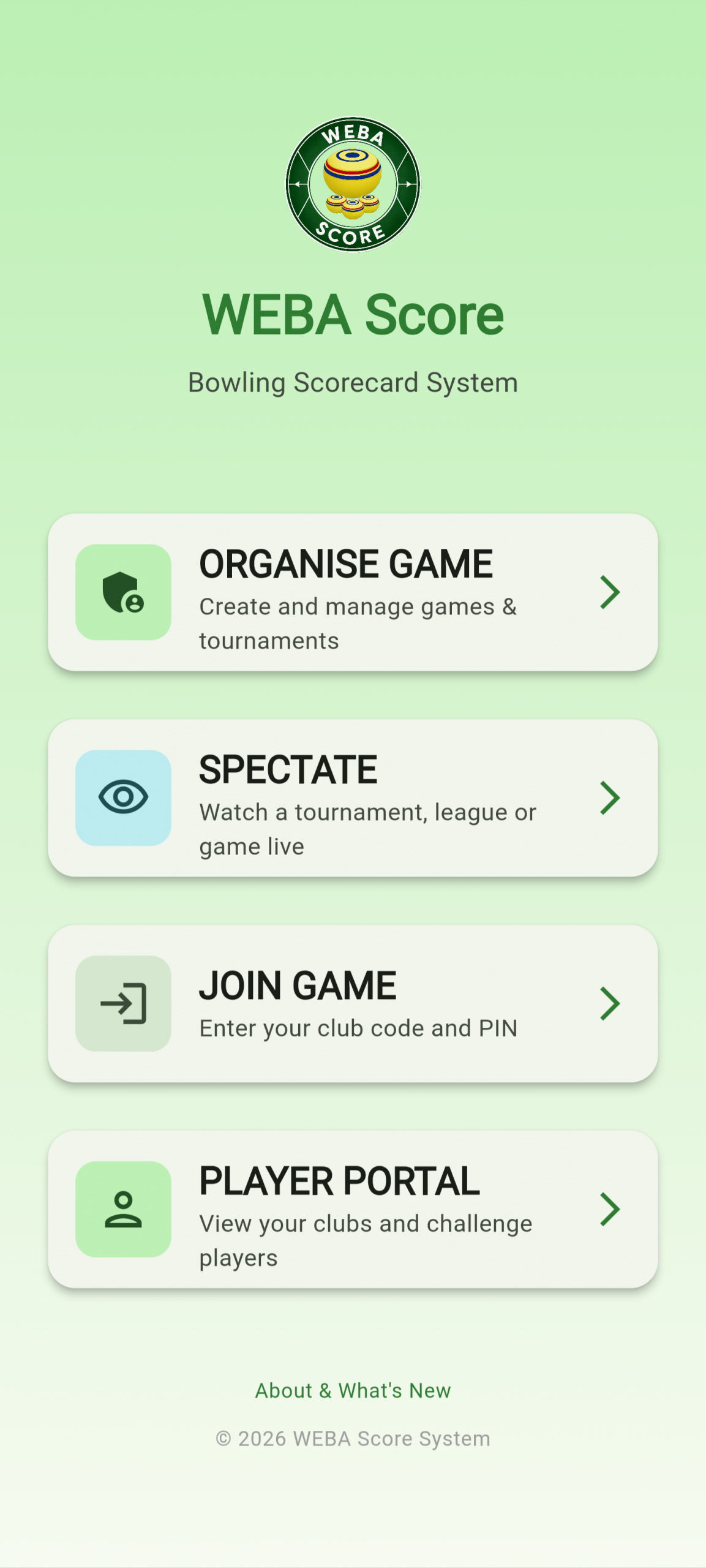
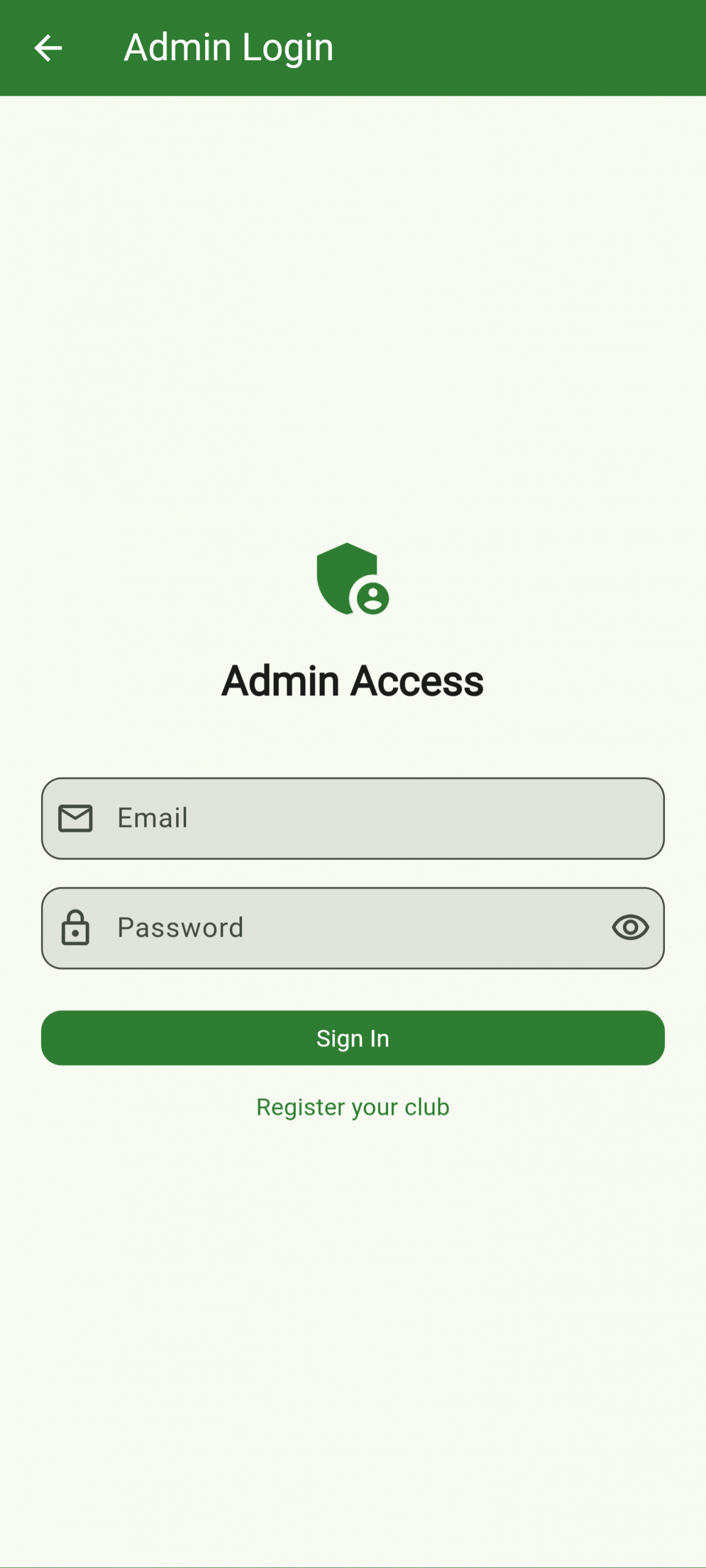
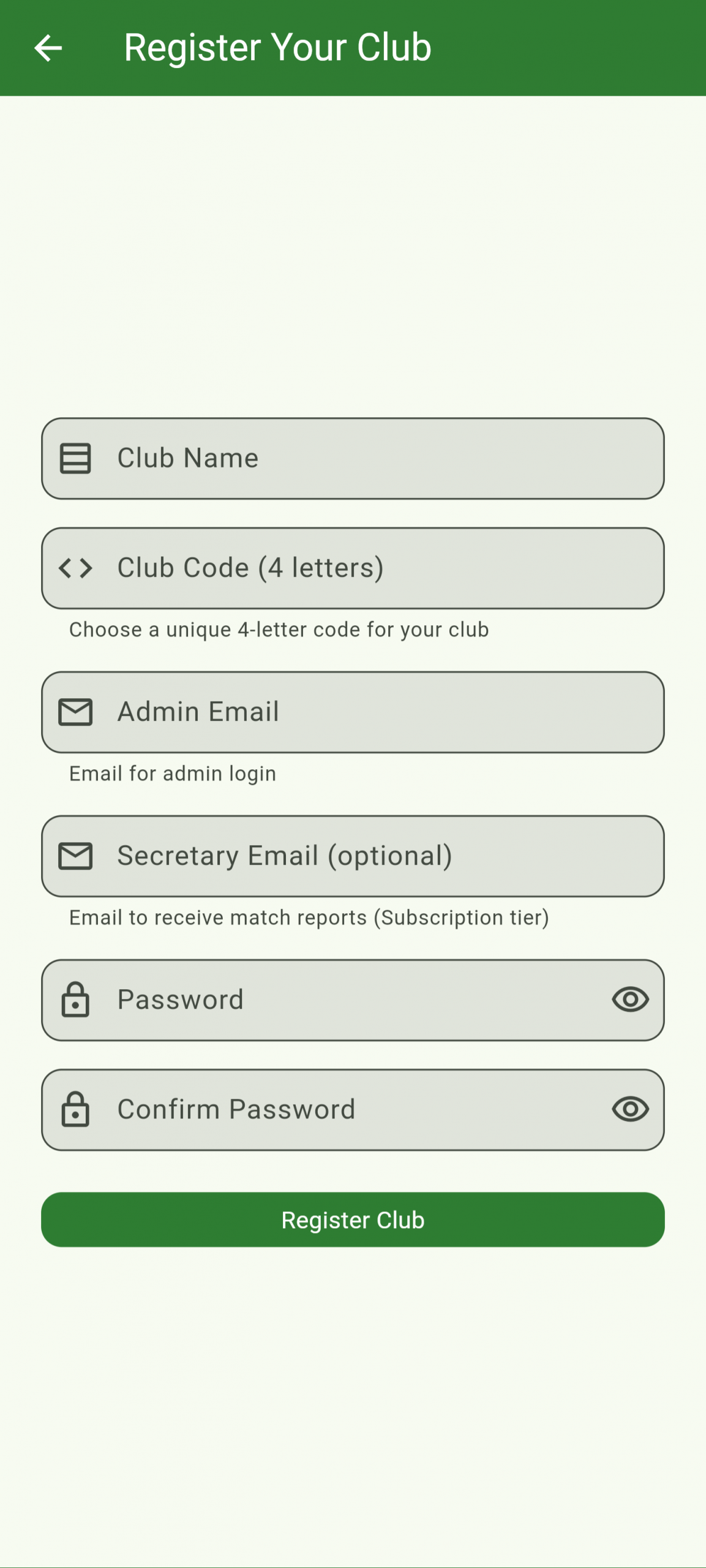
From the main page, tap Organise Game and choose Register Club. Fill in your club name, a short club code (e.g. WEBA), and your email. Once registered you receive your admin credentials and are taken straight to the dashboard where you can create your first game.
Players can register a personal profile to track their match history, view stats, and send or receive challenges against other members.
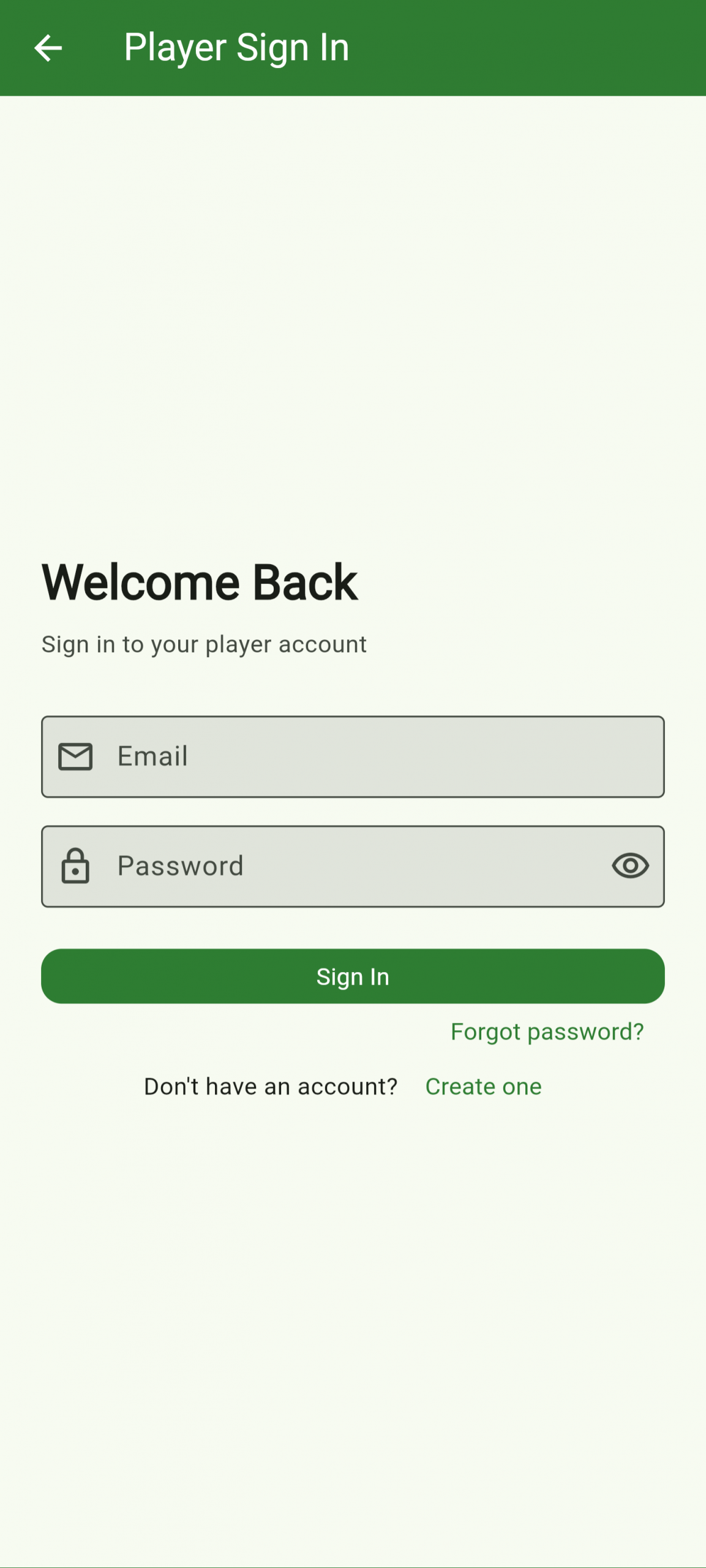
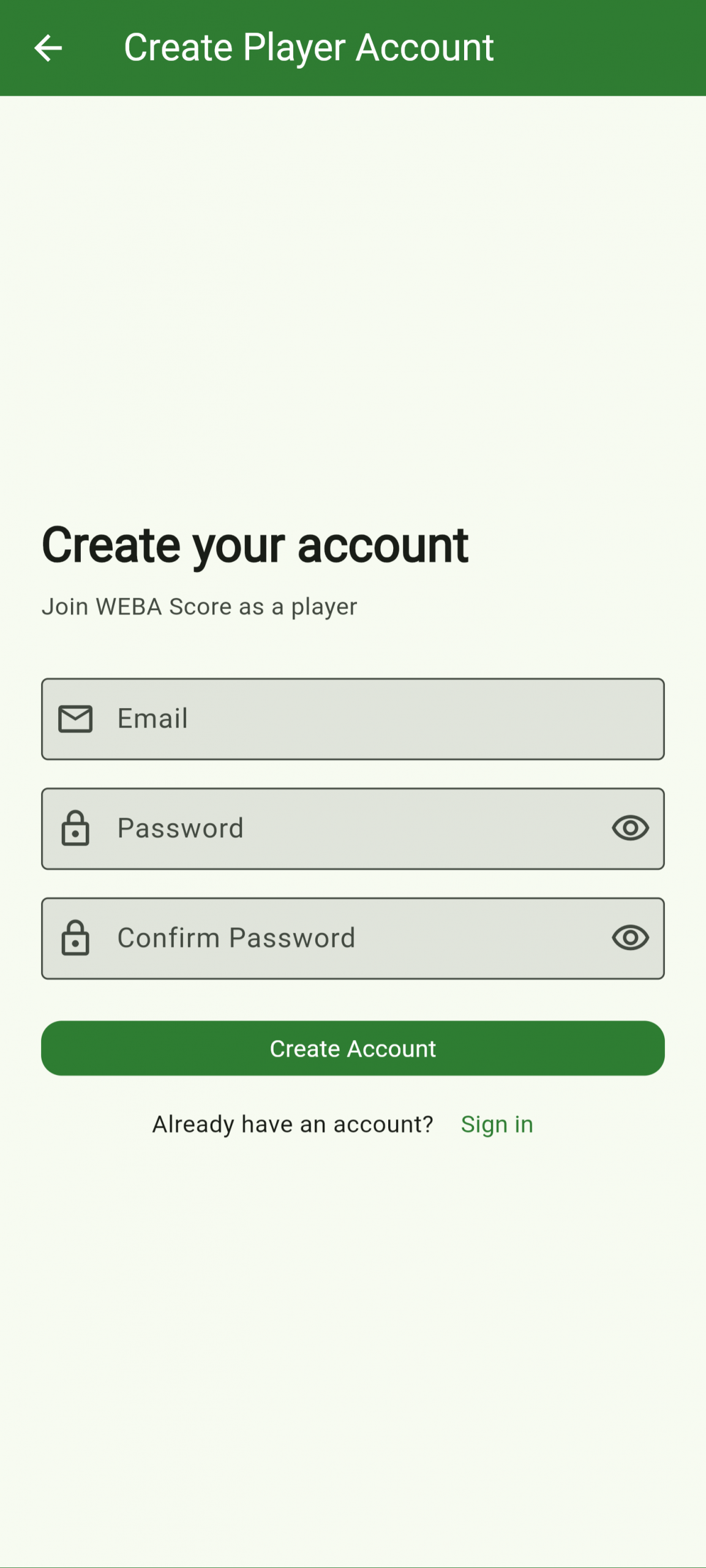
A player account is separate from the club admin account. Tap Player Portal on the main page and choose to create a new account. Once registered you can link to your club (via an invite from your admin), view your personal match history, and send or receive challenges against other club members.
No account needed. Players enter their PIN and are straight into the live scoring screen. If Confirmation mode is selected during match setup then both ends must confirm each score before it’s recorded otherwise score is recorded directly.
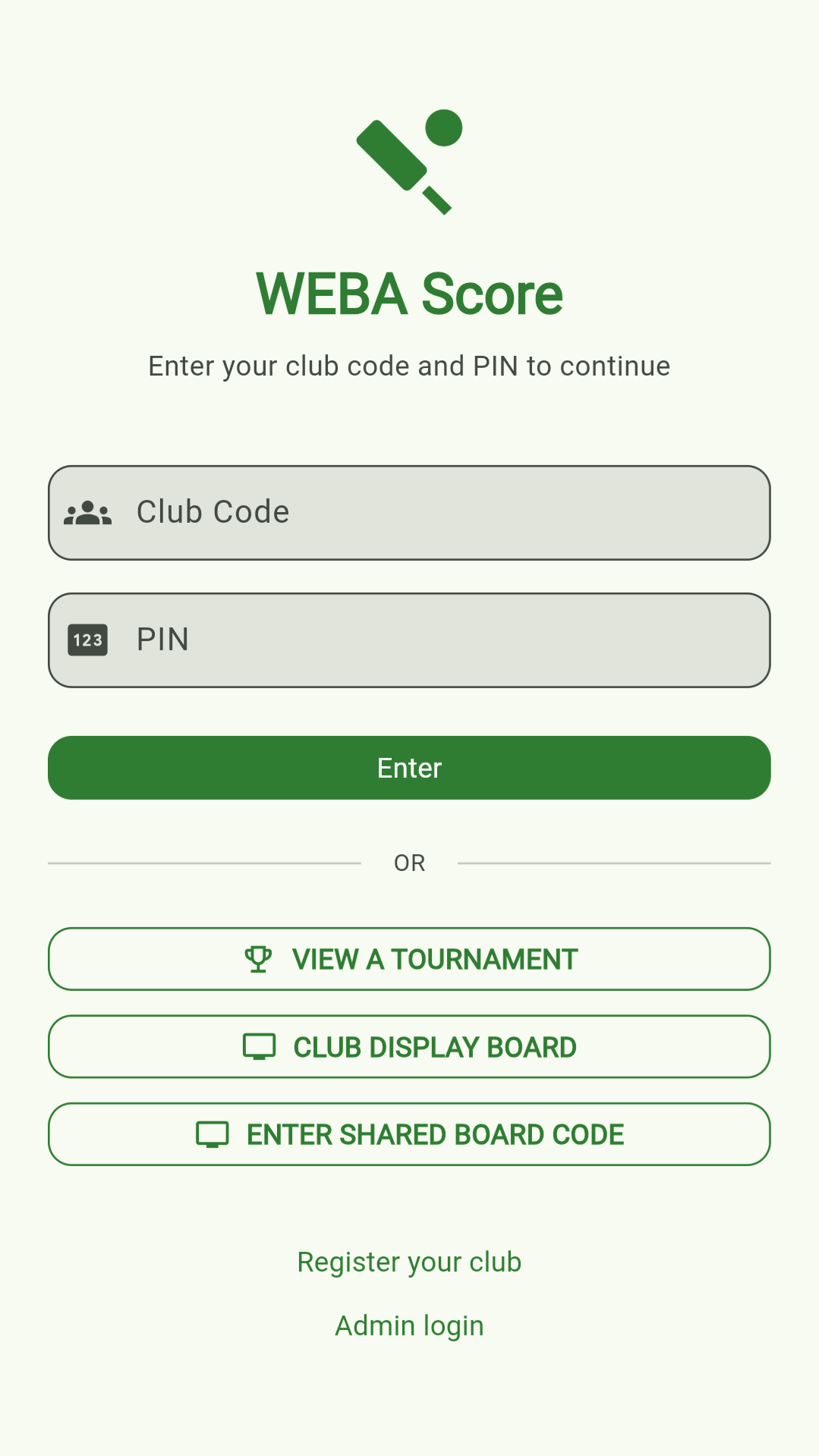
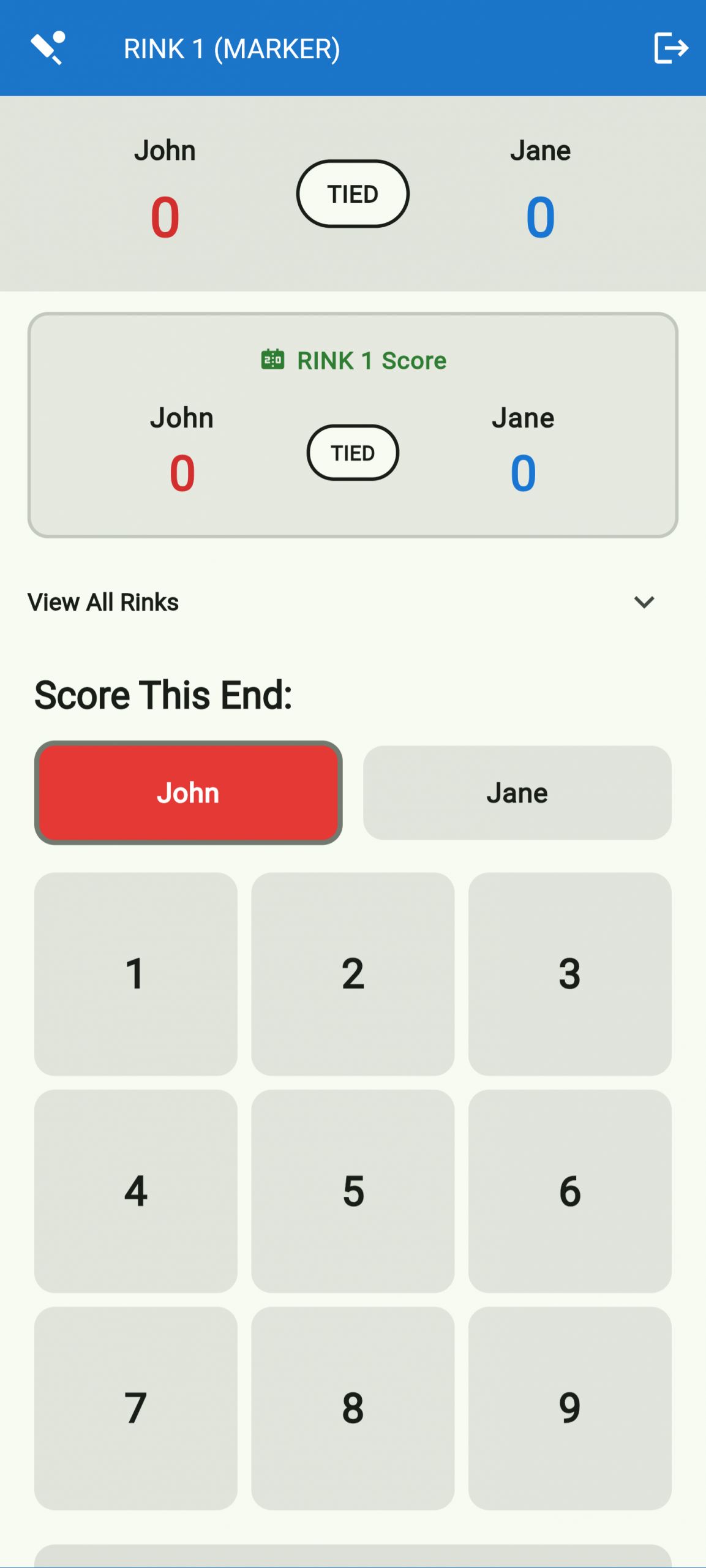
Your club admin will provide a club code and a PIN for your role (home, away, or spectator). Click on ‘Join Game’ and enter both on the main screen and you’re taken straight to the live scoring view for your rink. No account or login is required to join a game.
Log in as club admin, set your team names, choose a scoring format and number of rinks, then share the generated PIN codes with your players.
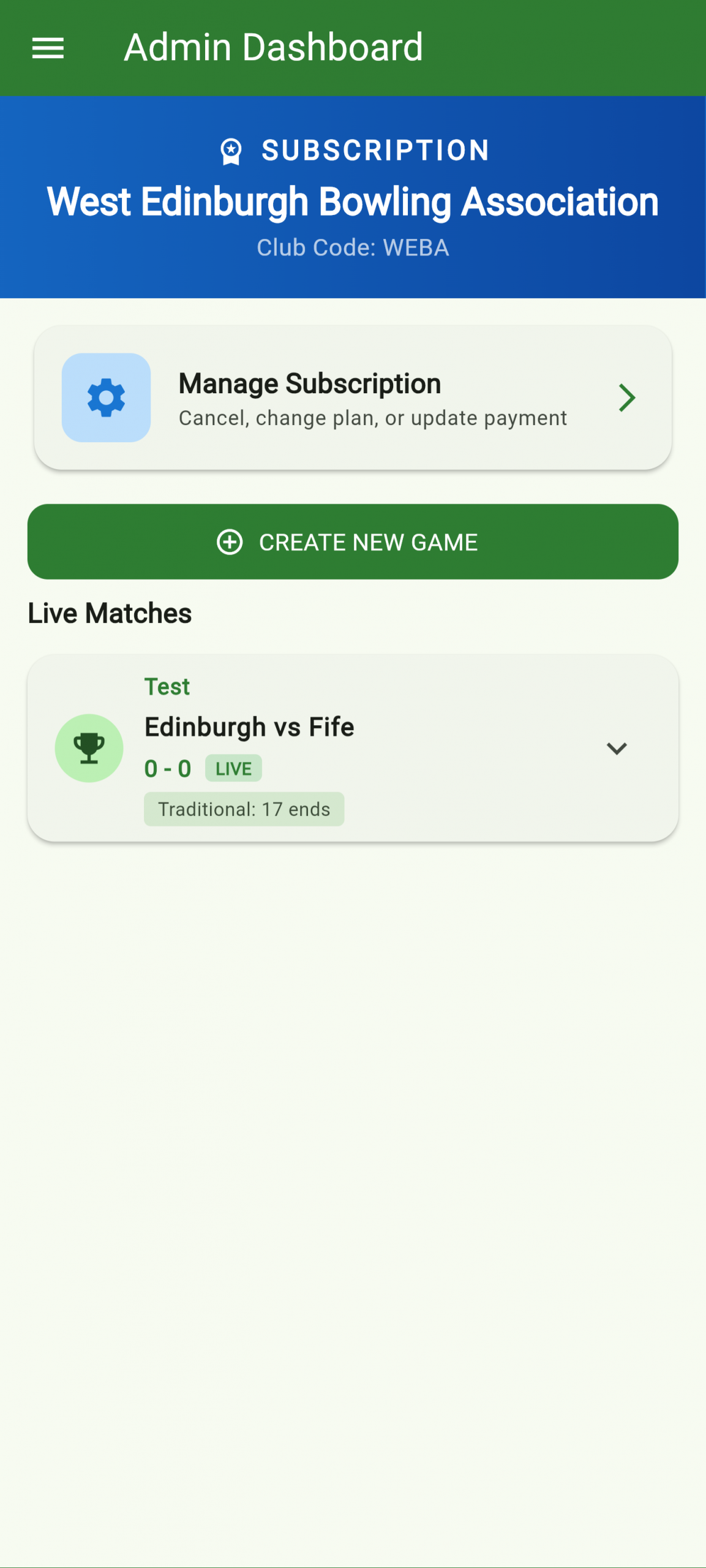
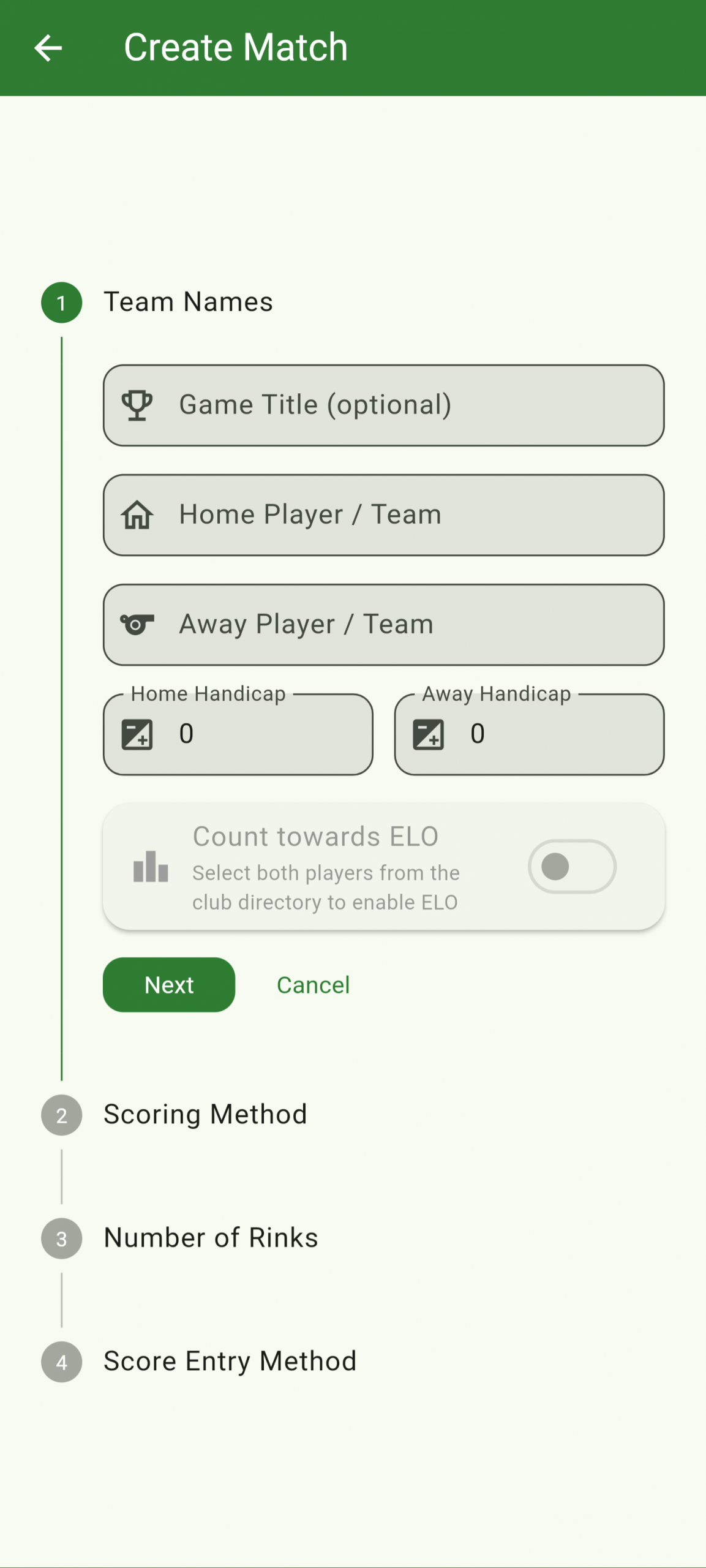
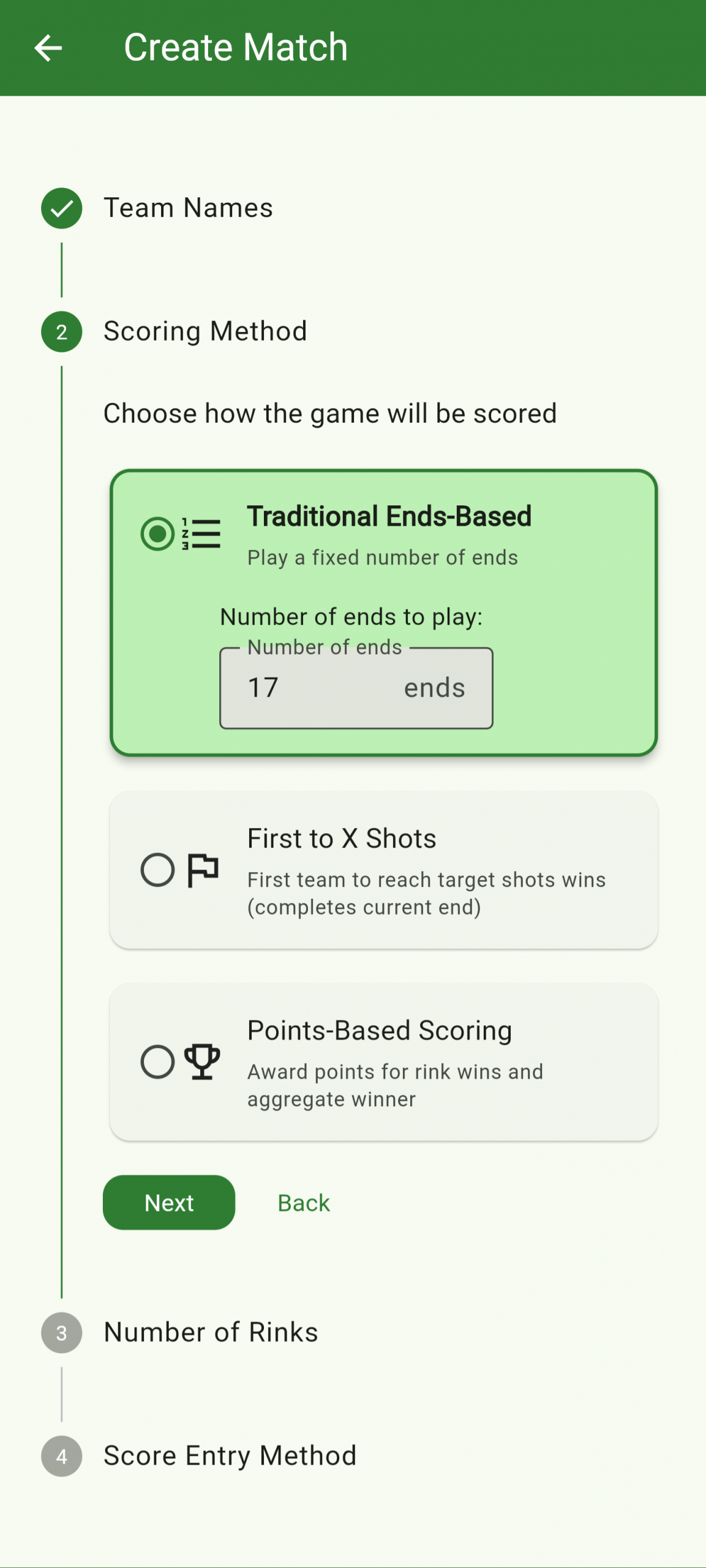
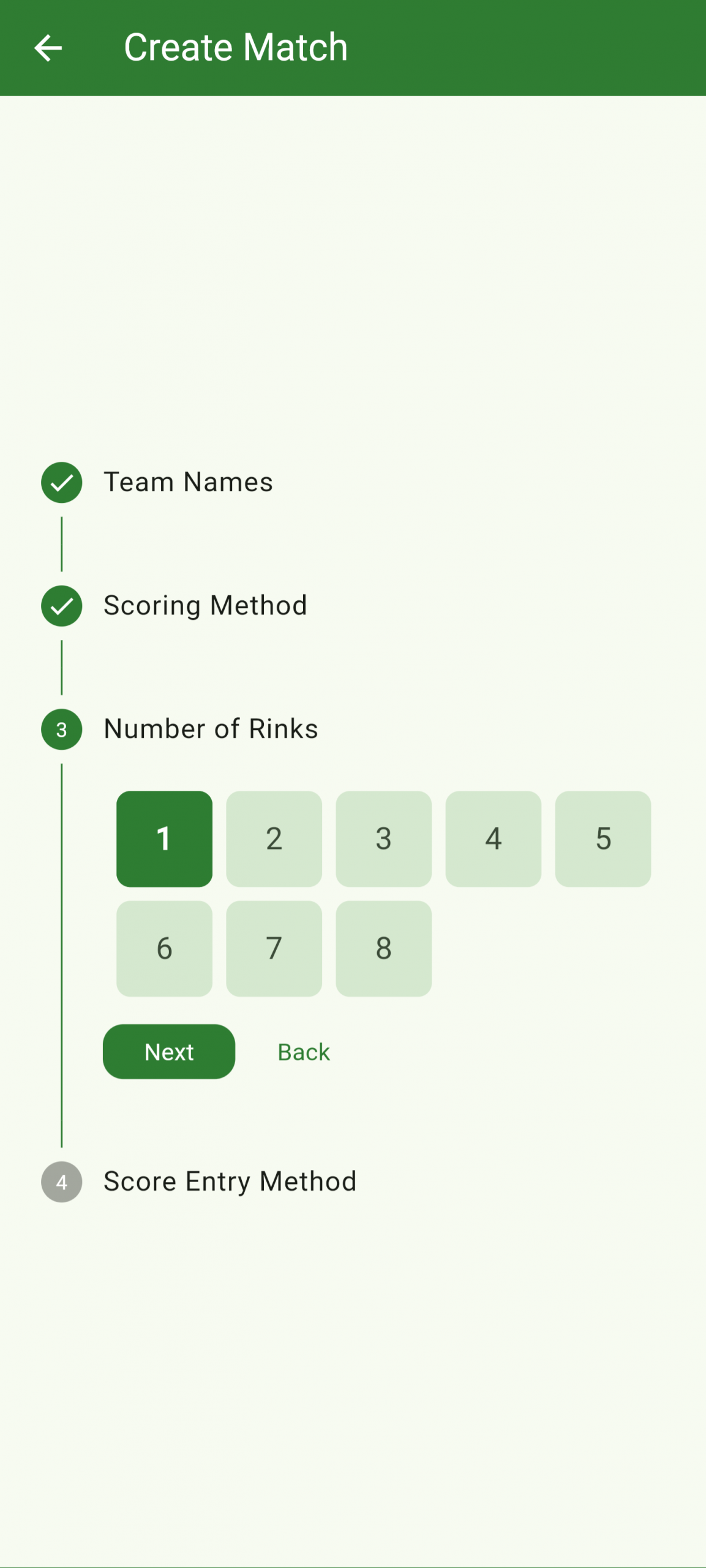
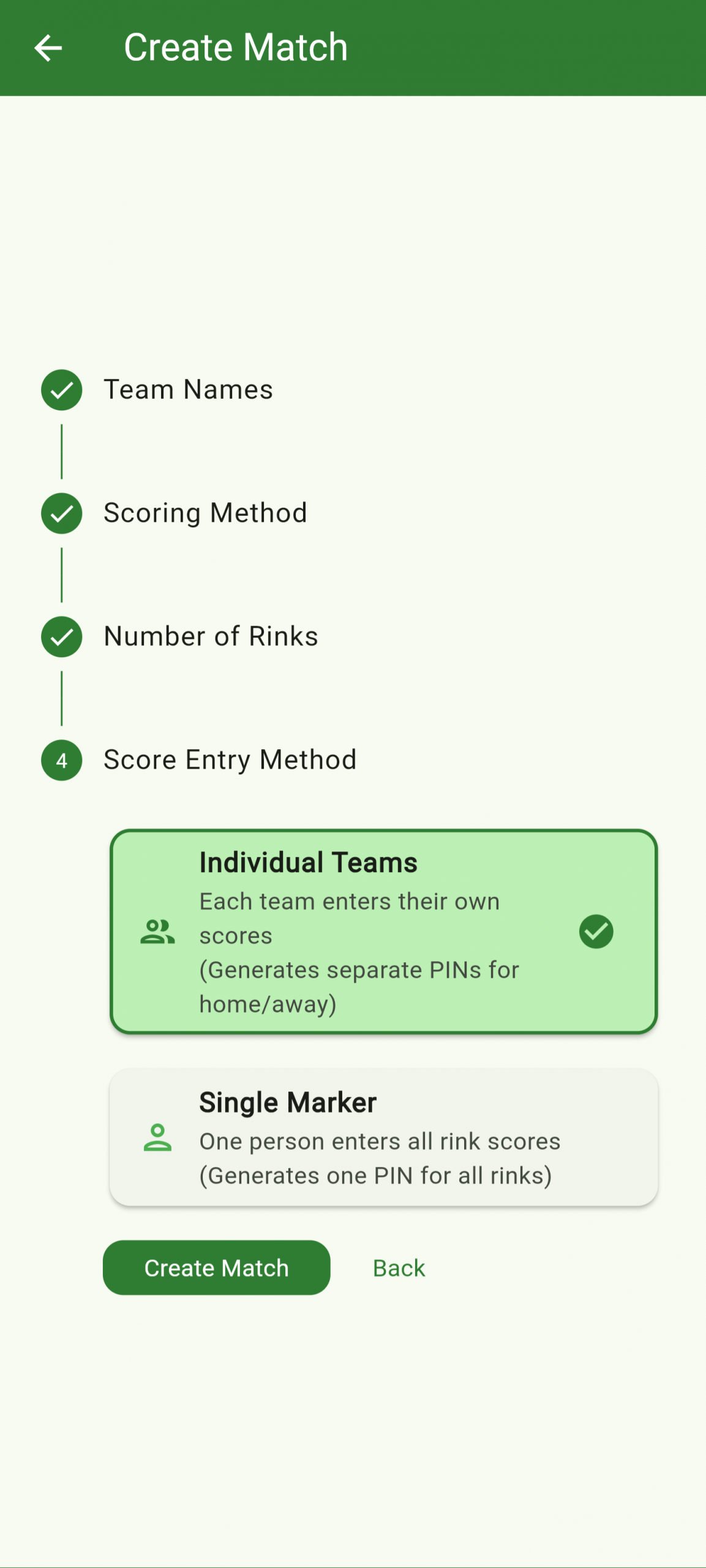
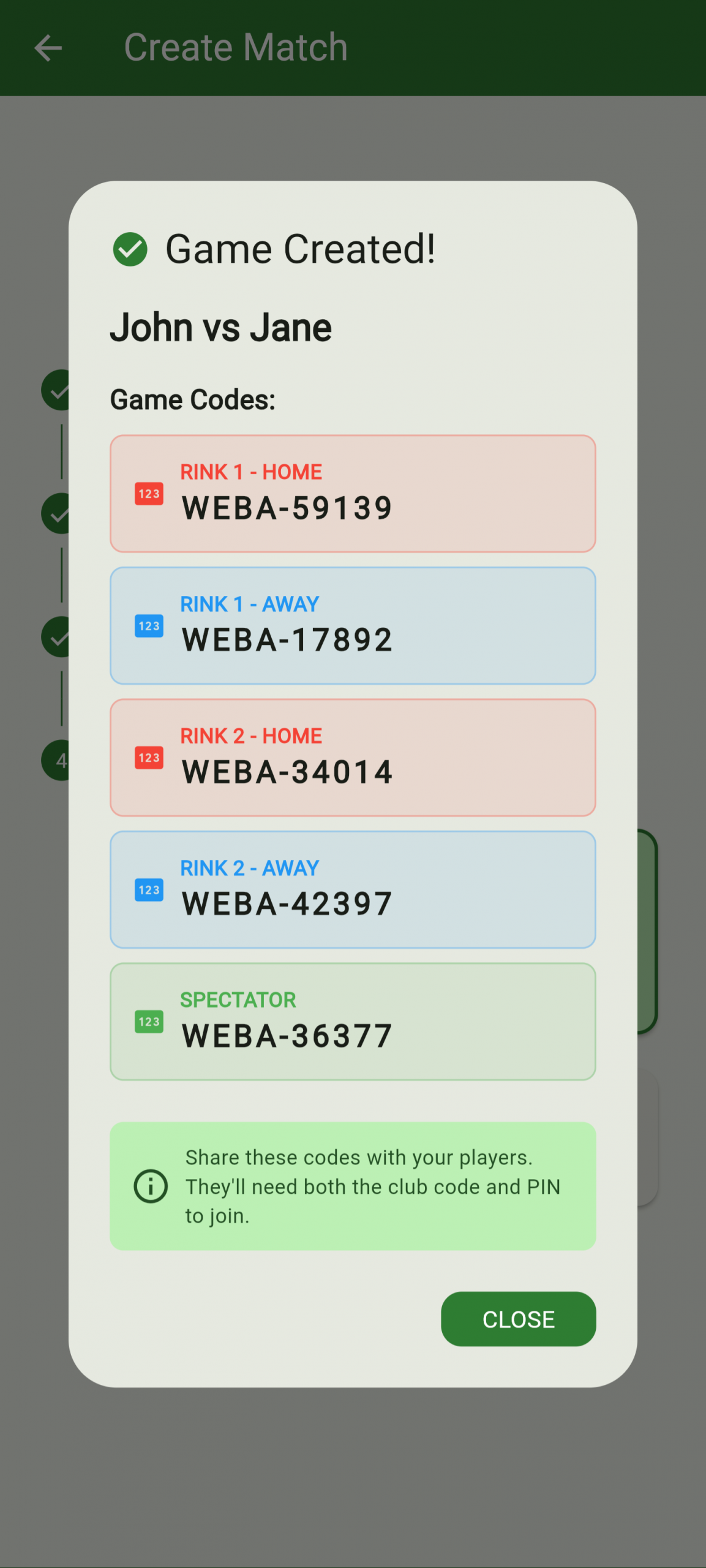
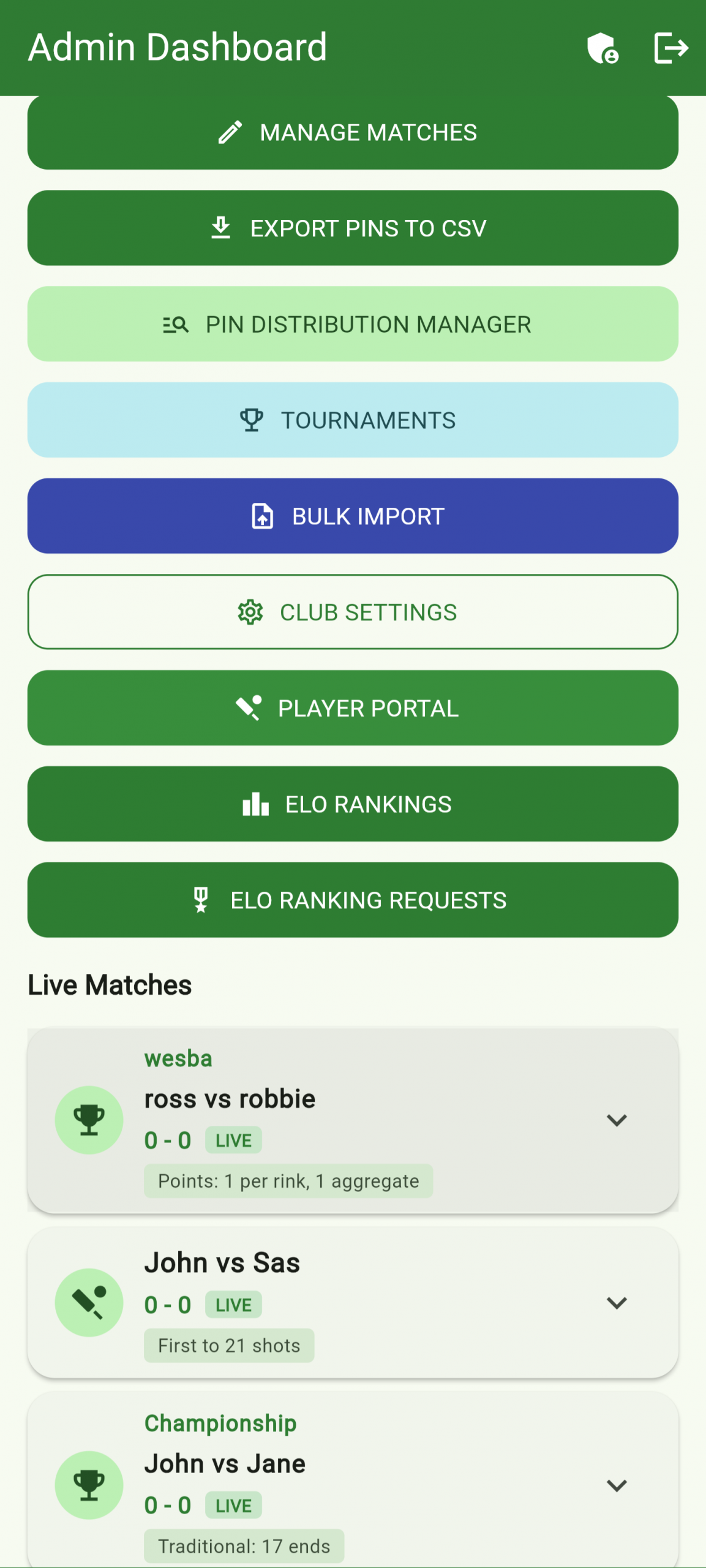
Log in as club admin and tap Create New Game. Enter the home and away team names, then choose your scoring format — Ends-based, shots only, or points-based (where rink wins and aggregate earn separate points). Select the number of rinks and the app generates unique PIN codes for home, away, marker, and spectator roles. Share these PINs with players before the match starts. The game appears immediately in your live games list.
Create a tournament, add teams, and let the app generate the fixtures automatically. Share a spectator link so everyone can follow the standings live.
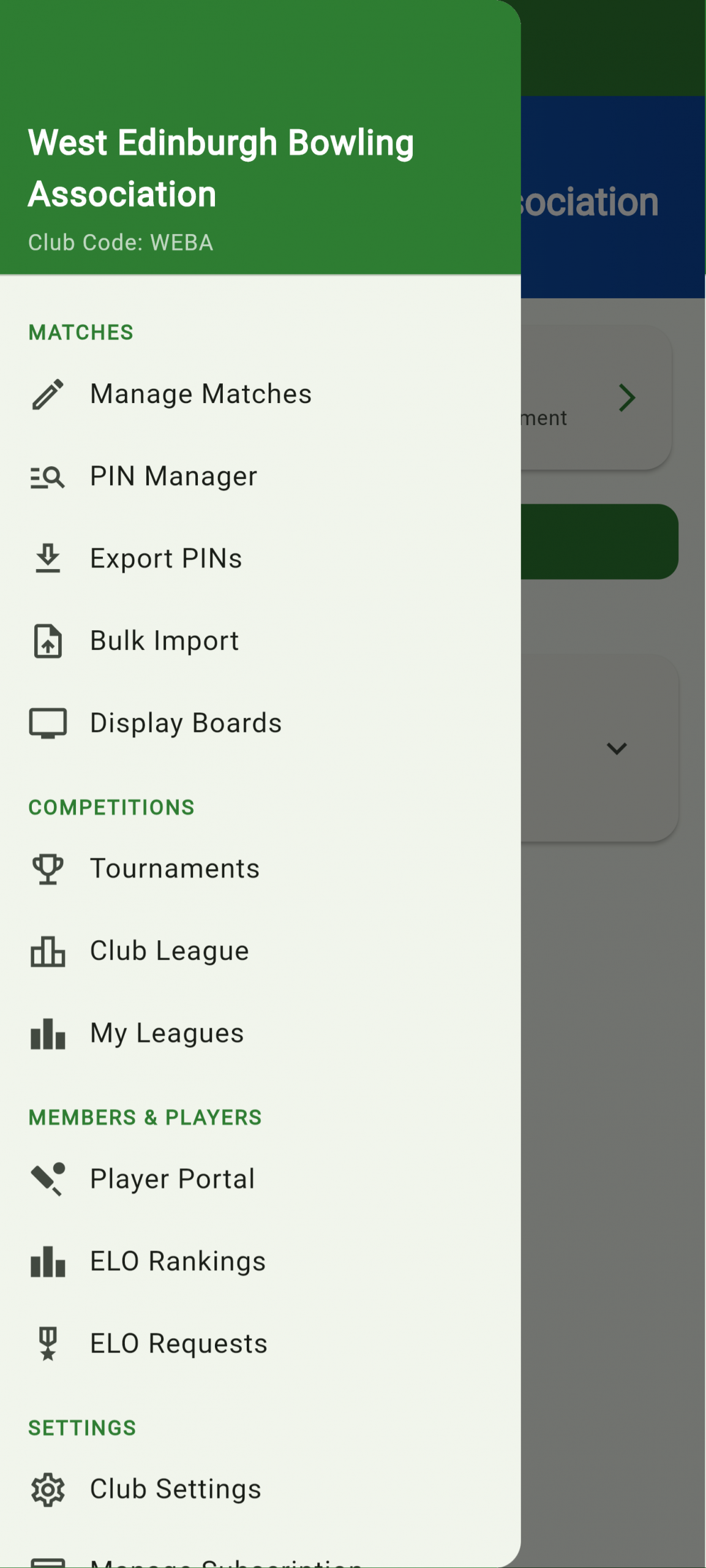
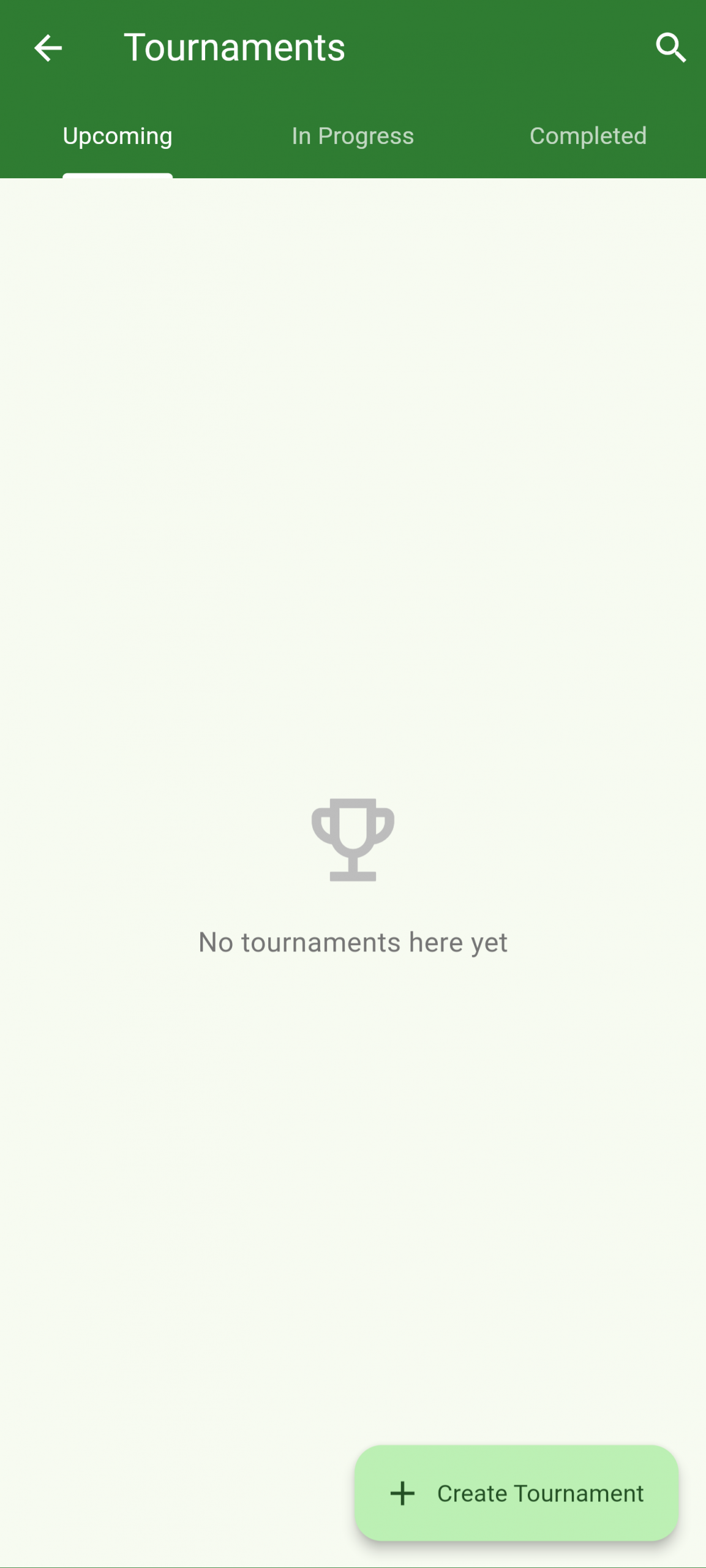
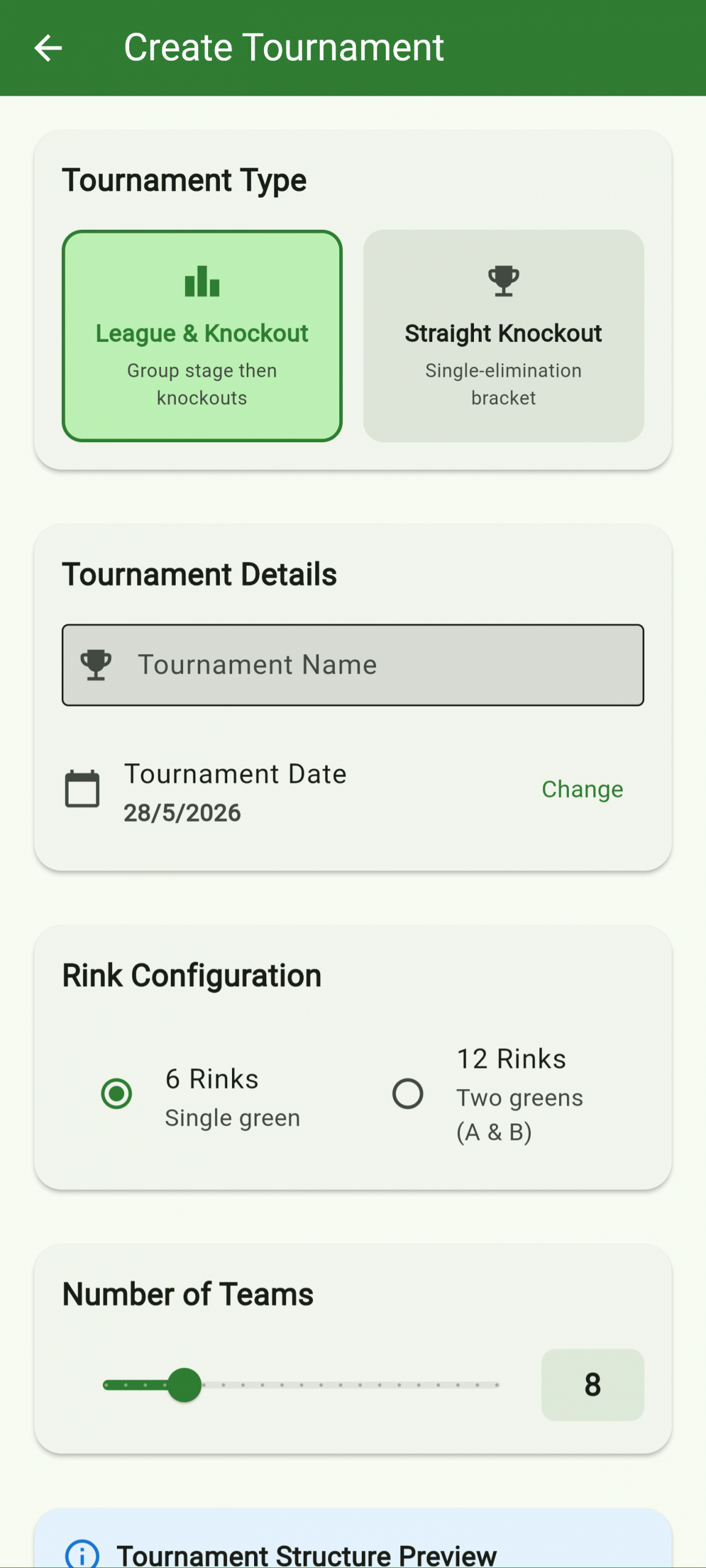
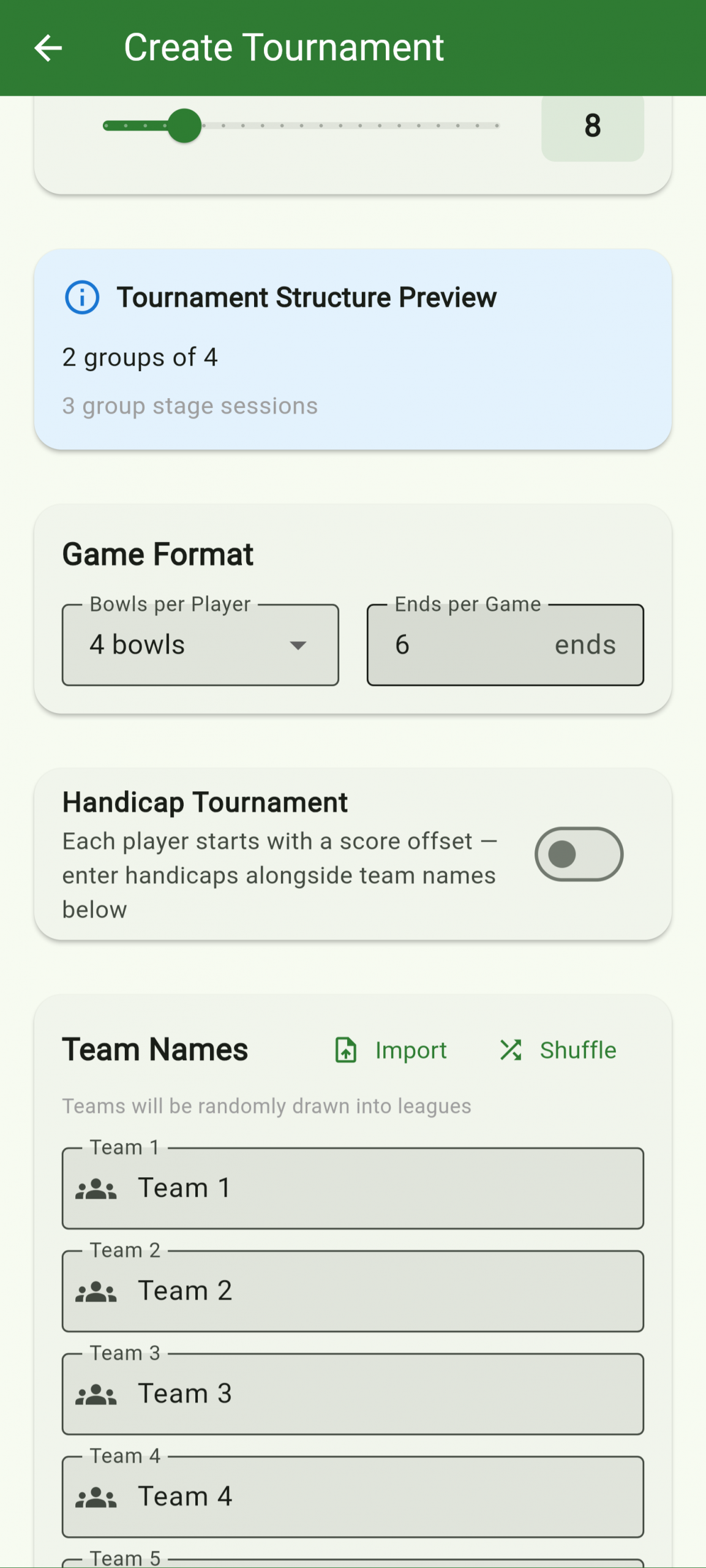
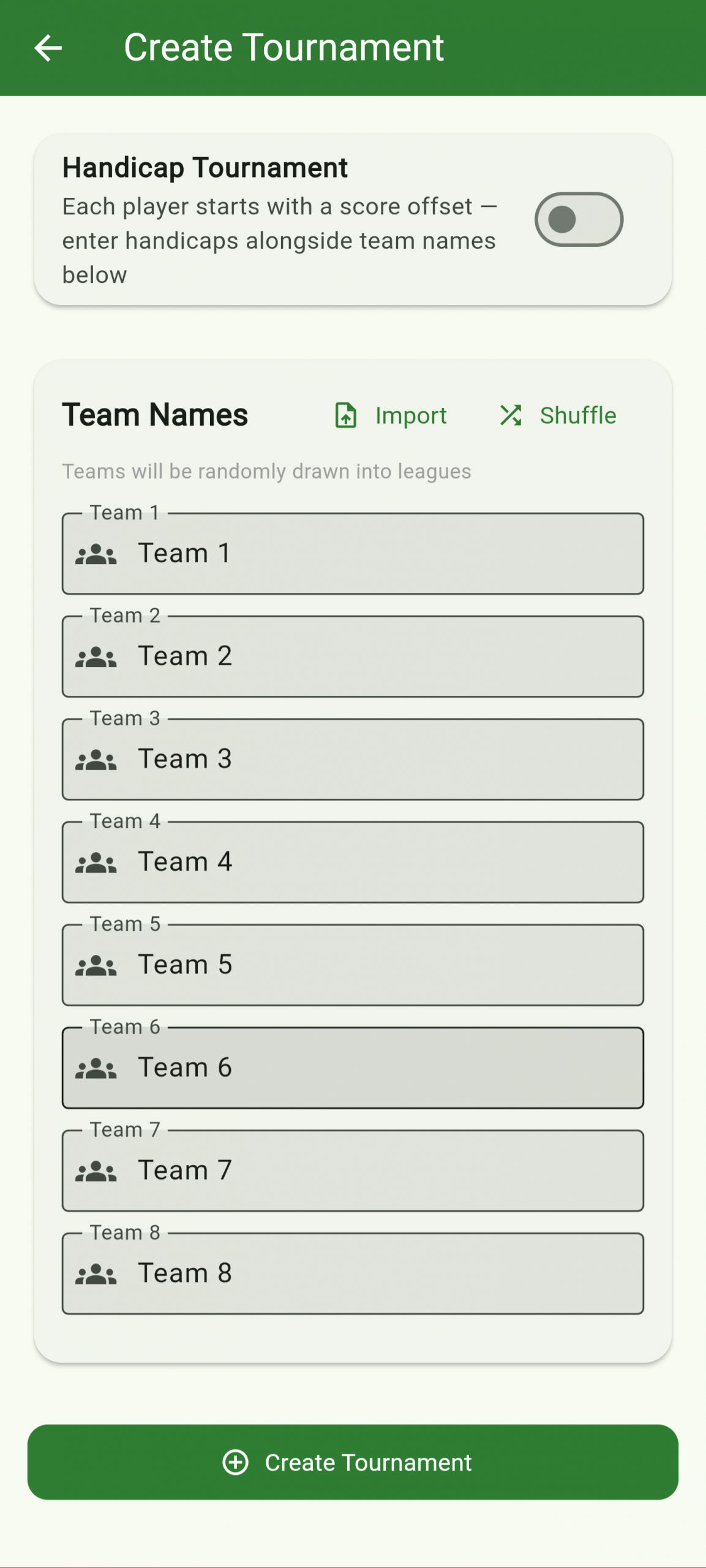
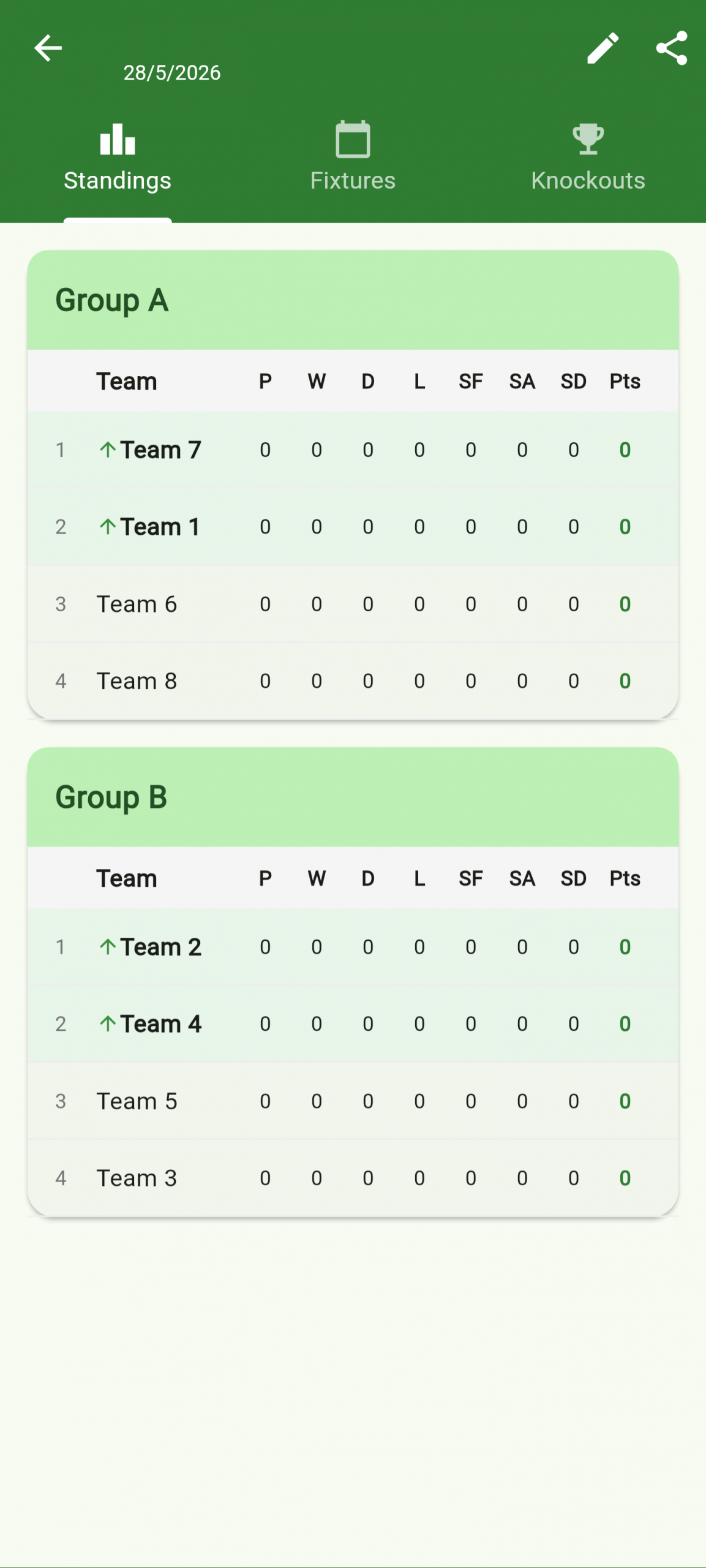
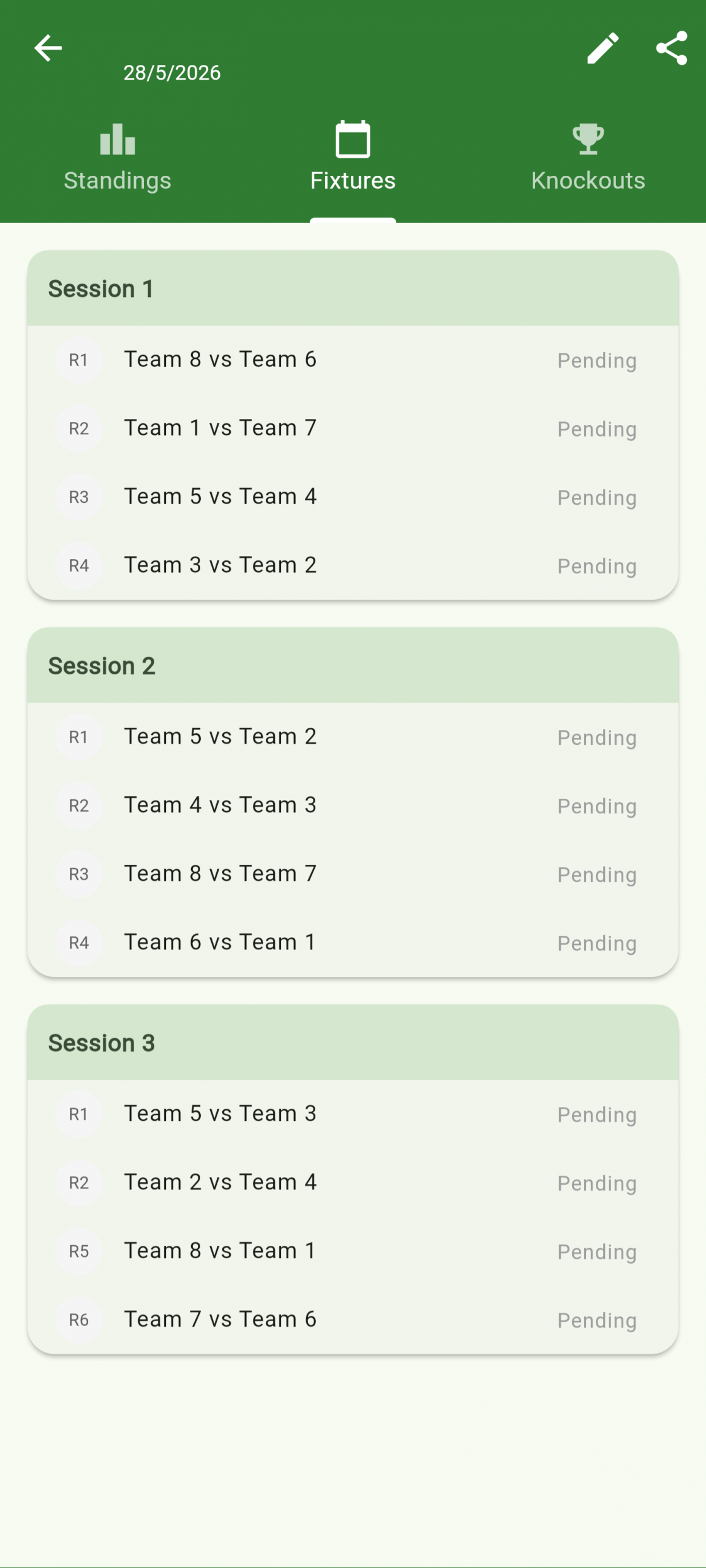
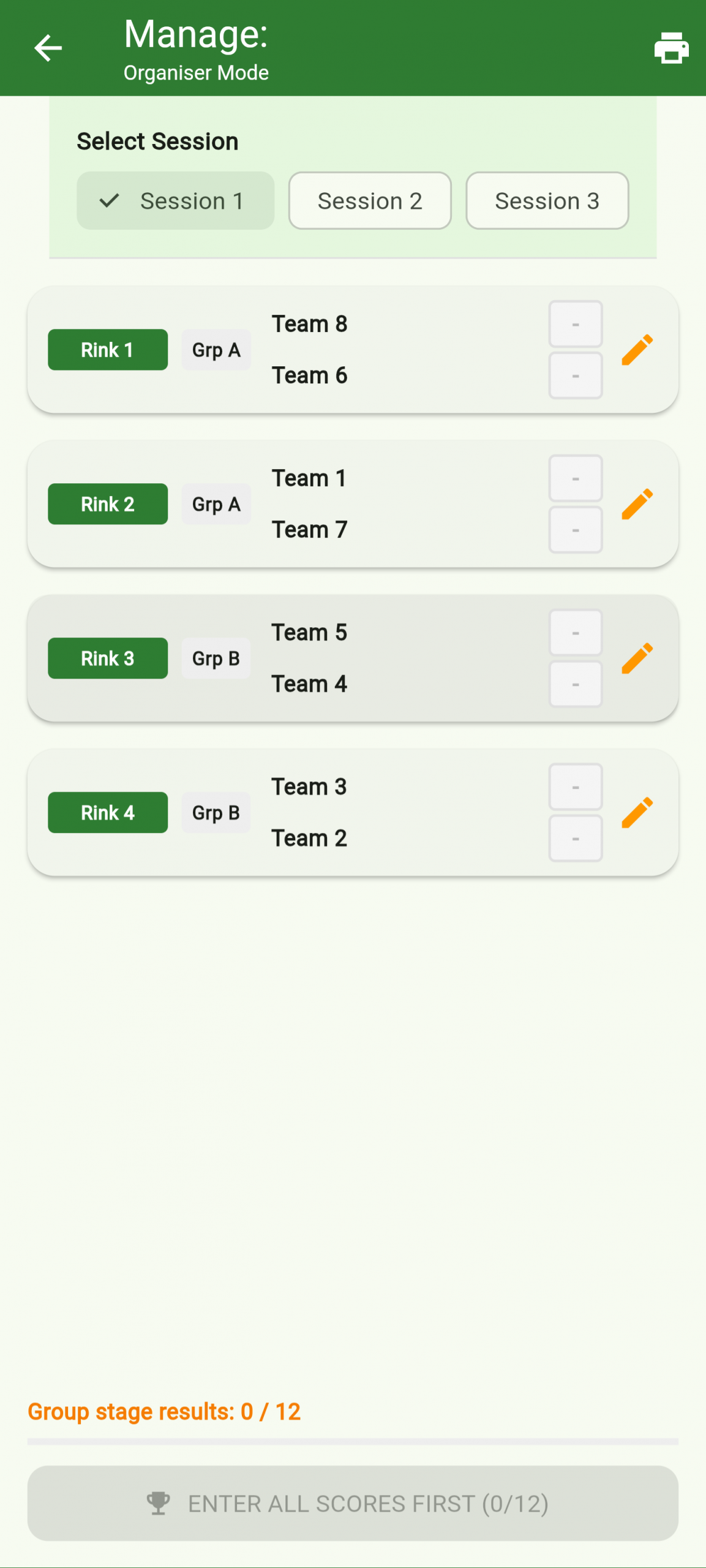
From the admin dashboard, navigate to Tournaments and tap Create Tournament. Give it a name, add your teams, and the app automatically builds a round-robin fixture list. Each fixture is scored live just like a regular game. Standings update in real time as results come in, and a shareable spectator link lets players and supporters follow the tournament without needing a PIN. Round-Robin, Straight Knockout options. Bulk entrant import (copy/paste), Automatic and manual draws also an option.
Challenge another registered player at your club to a head-to-head game. Results count towards the club leaderboard and your personal stats.
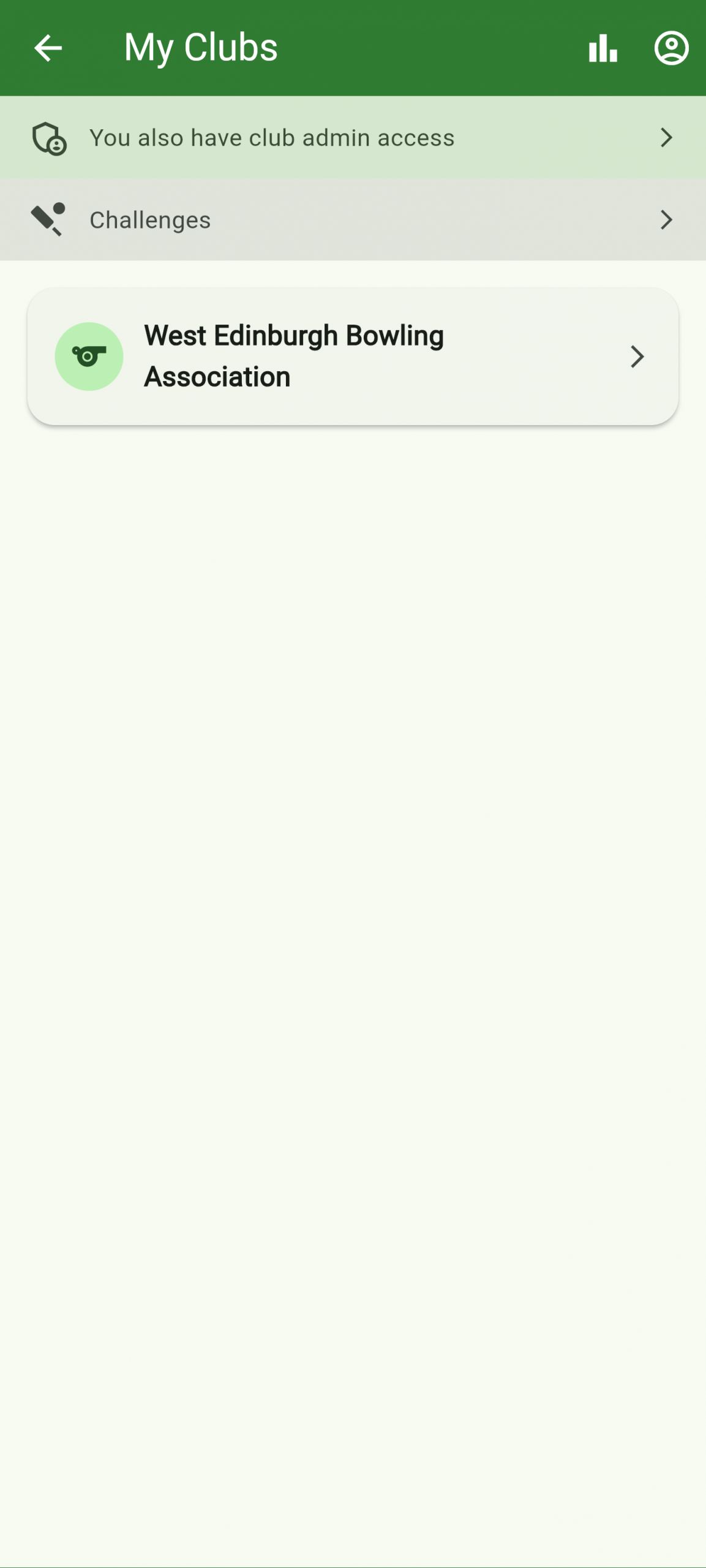
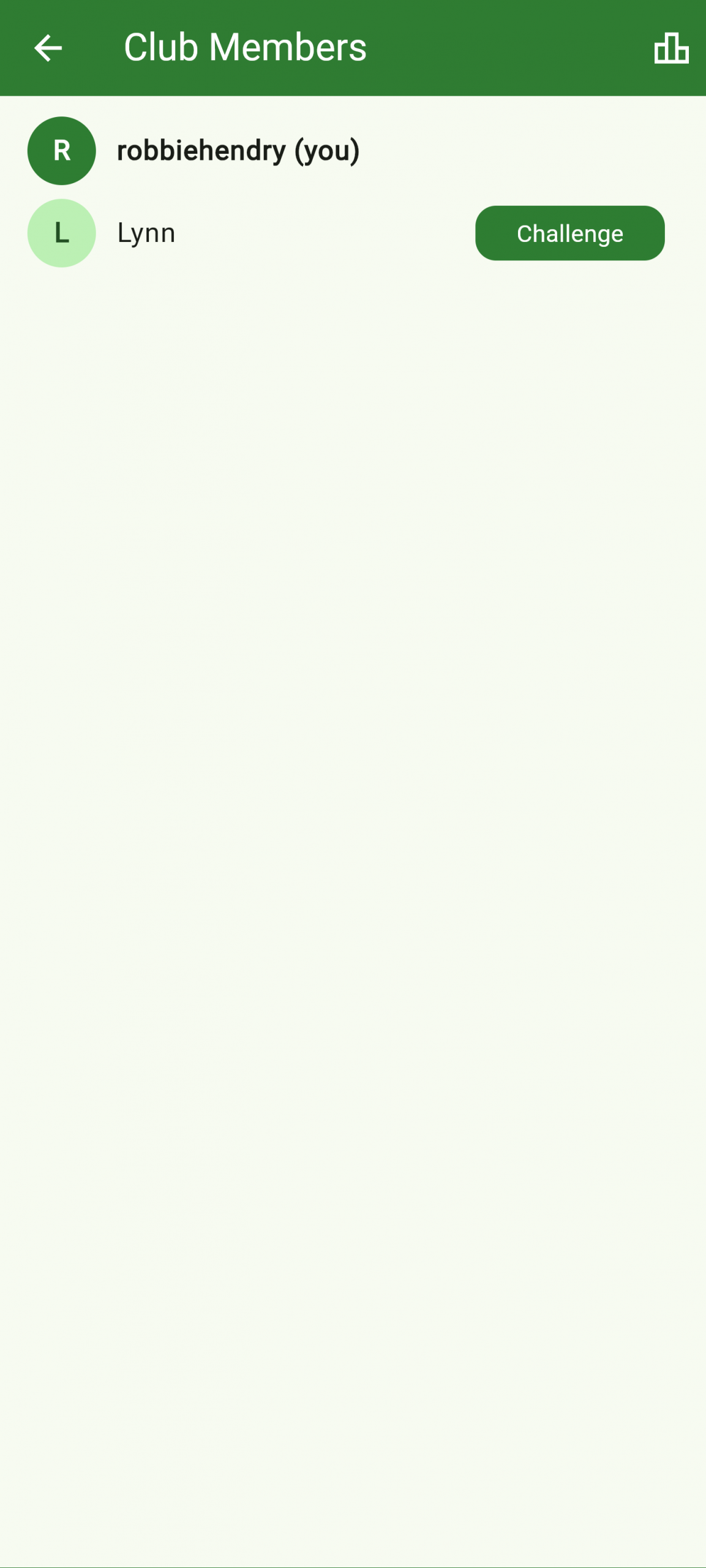
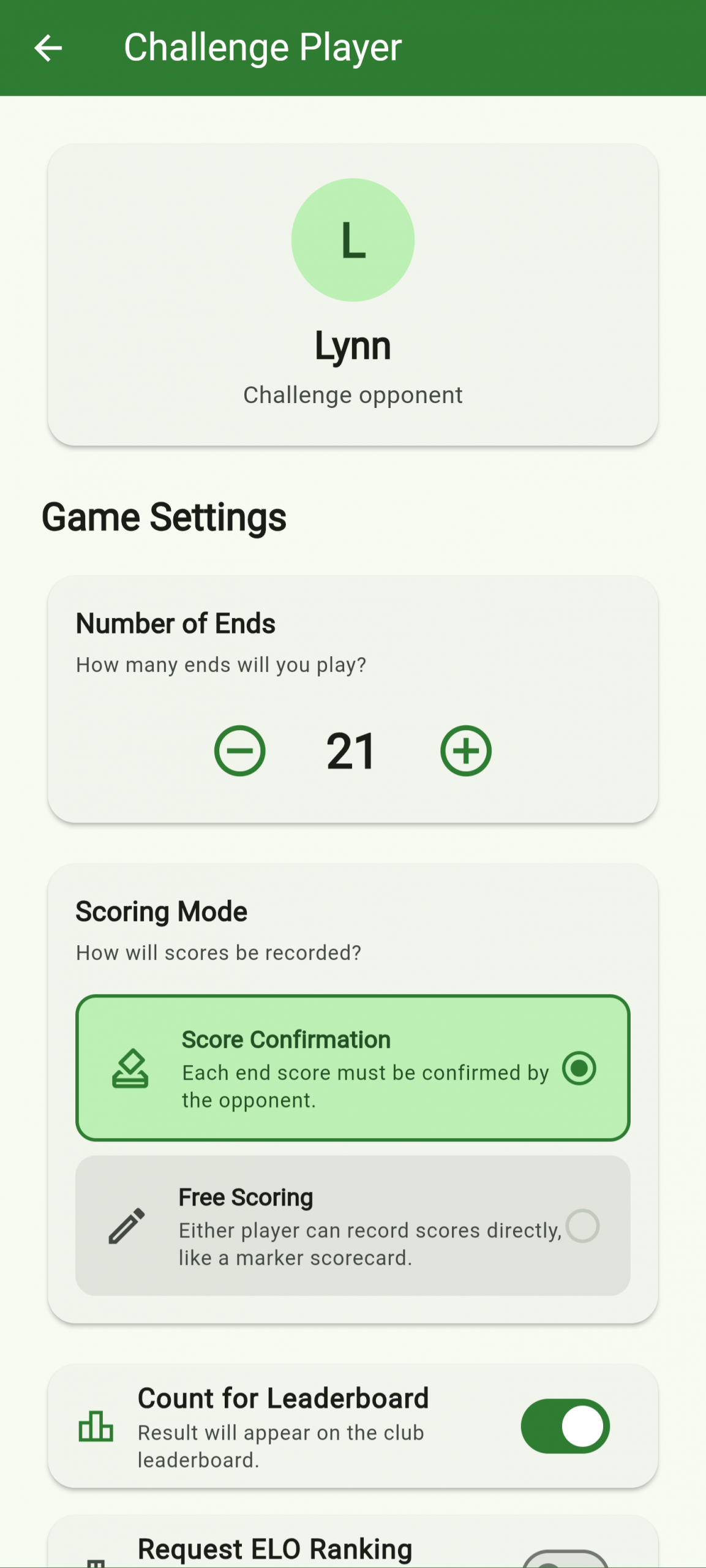
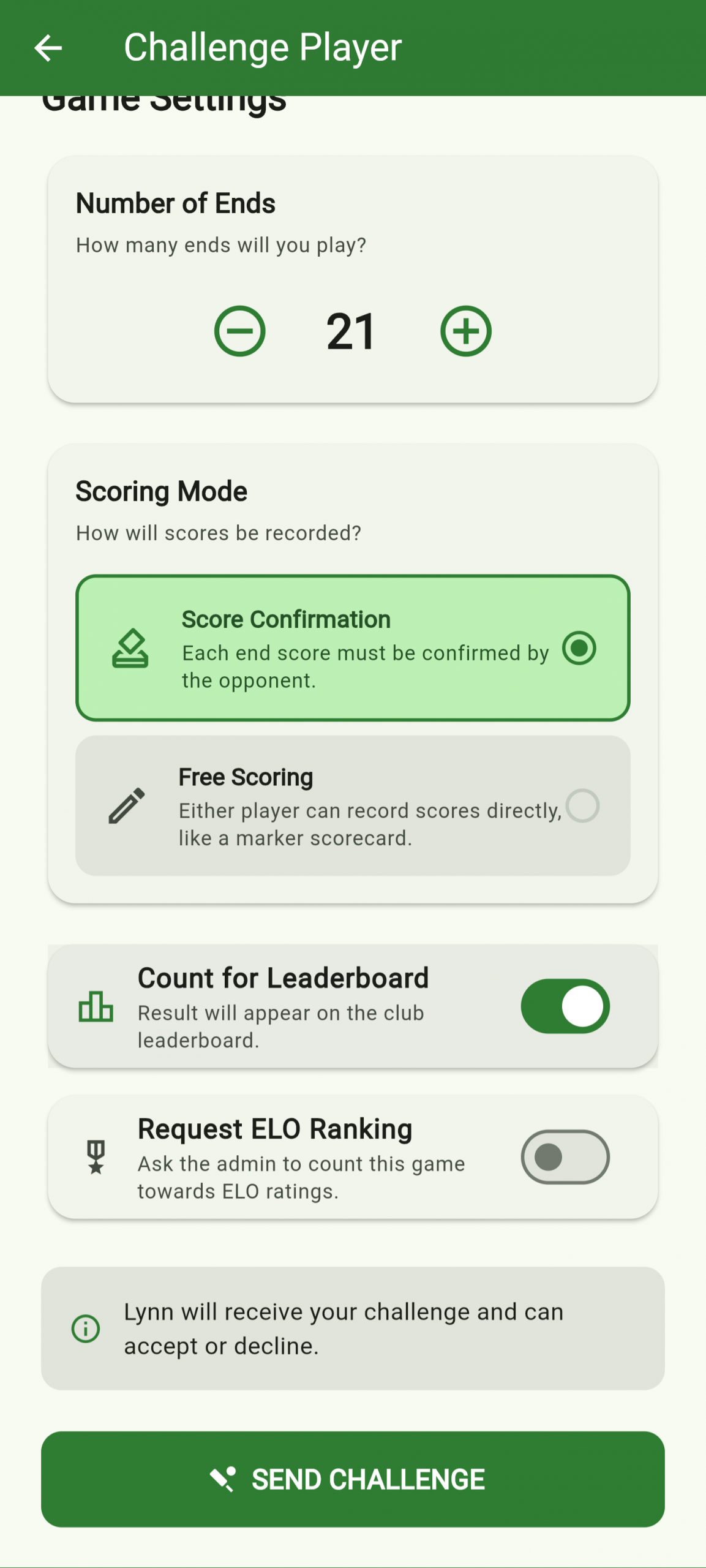
Sign in with your player account, open My Clubs, and browse the member list for your club. Tap a player’s name and choose Challenge. Set the number of ends, confirm the details, and the challenge is sent. The other player receives it on their account and must accept before the game is created. Results are recorded against both players’ profiles and count towards the club leaderboard.
Spectators use a separate view-only PIN. Scores update live without any ability to interfere with the match in progress.
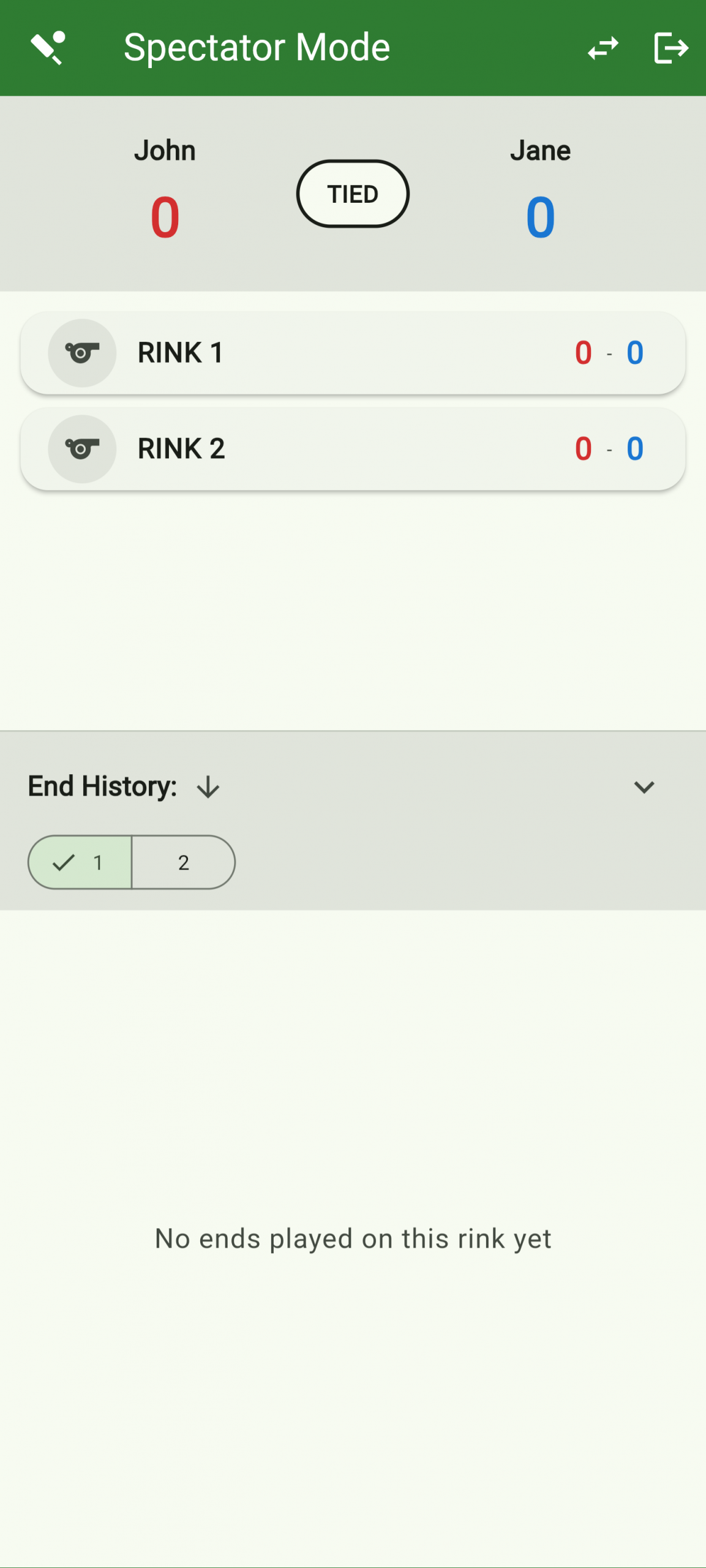
The club admin generates a separate spectator PIN when creating the game. Enter the club code and spectator PIN on the Join Game screen to open the view-only live scoreboard. All rinks are shown in real time as scores are entered by the players — no account needed and no ability to edit anything.
As club admin, generate invite links for your members. Once they claim their invite they appear in your member list and can participate in challenges and the leaderboard.
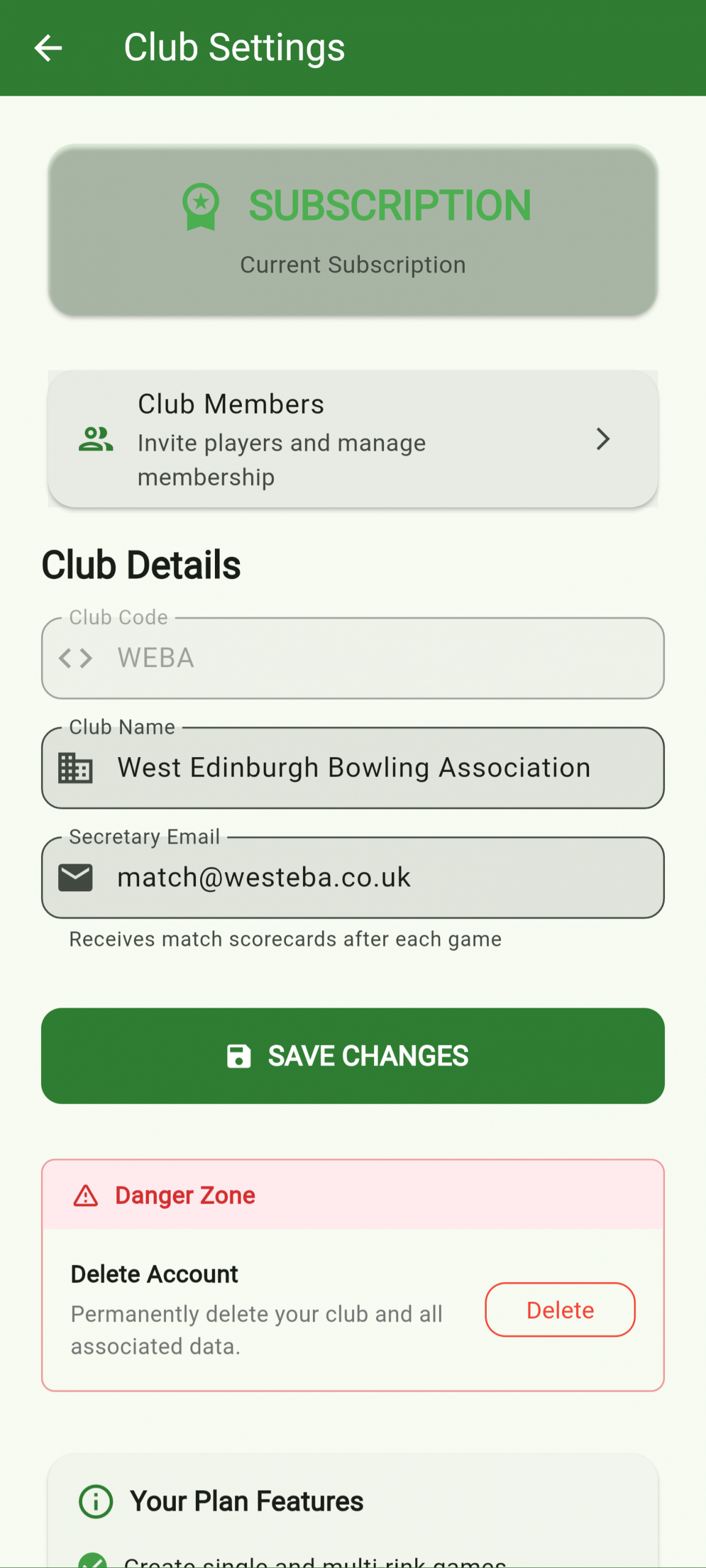
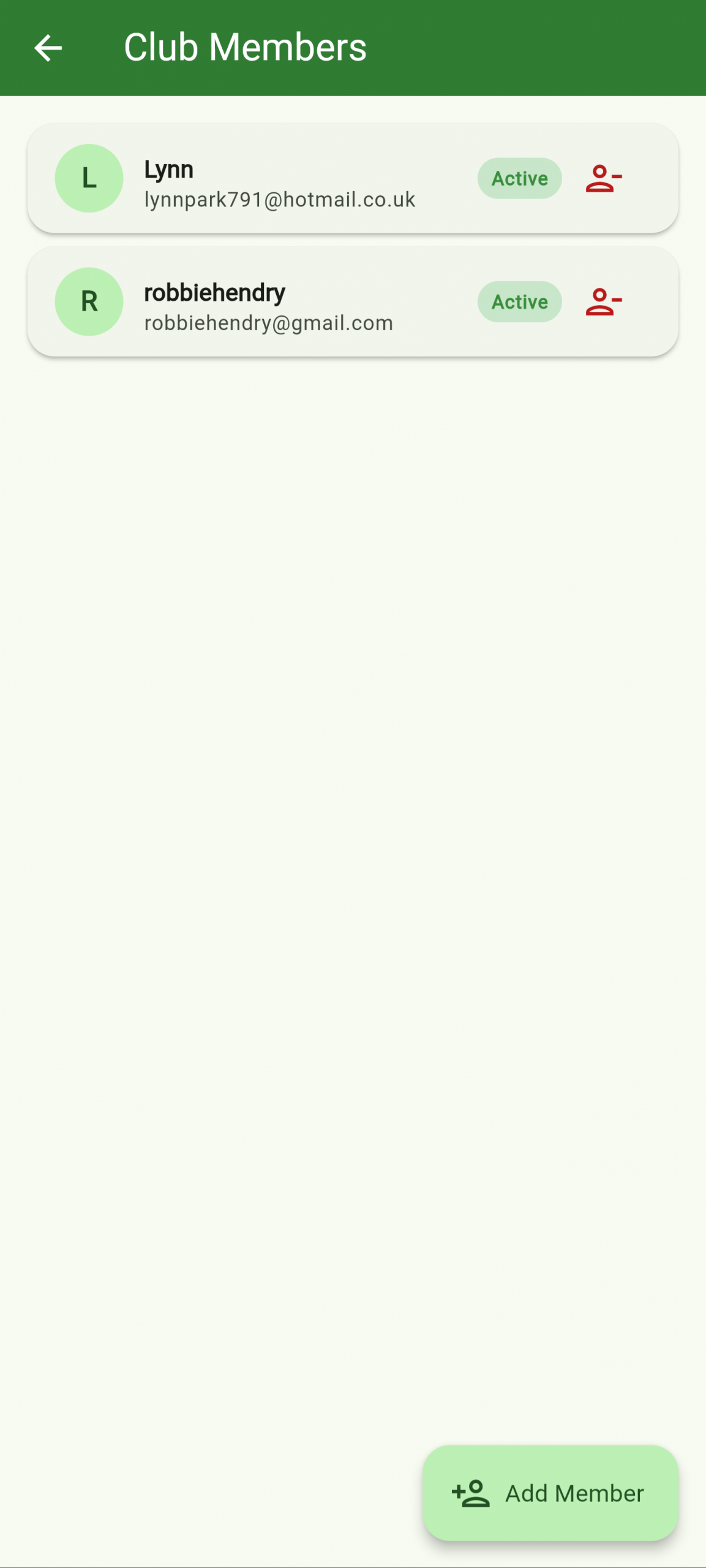
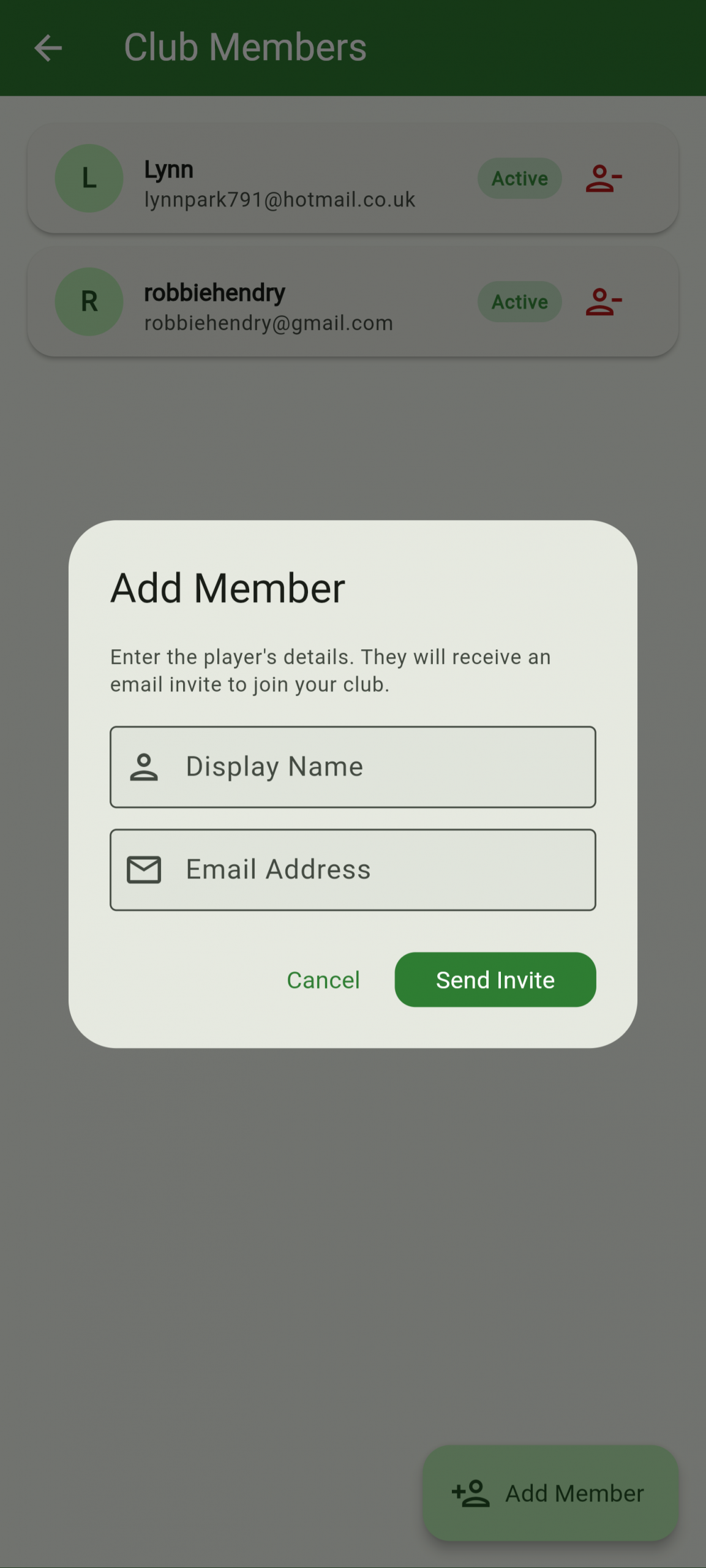
Log in as admin and navigate to Club Settings, then Club Members. Tap Add Member and enter the player’s name and email — they’ll receive a unique invite link. When they tap the link and create (or sign into) their player account, they’re automatically linked to your club and appear in your members list ready for challenges and the leaderboard.
Each end, the home team proposes the score and the away team confirms. The scorecard builds up automatically and the match closes when all ends are complete.
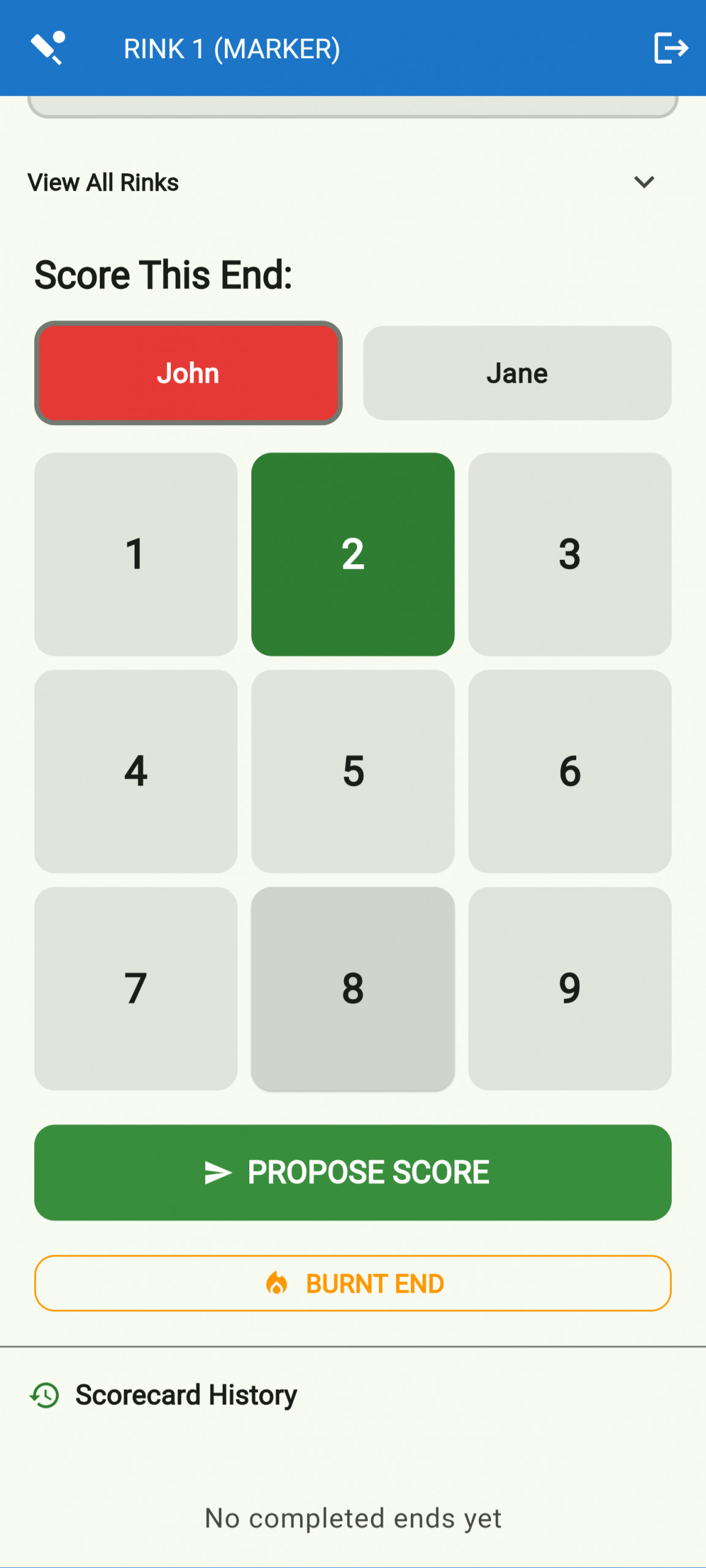
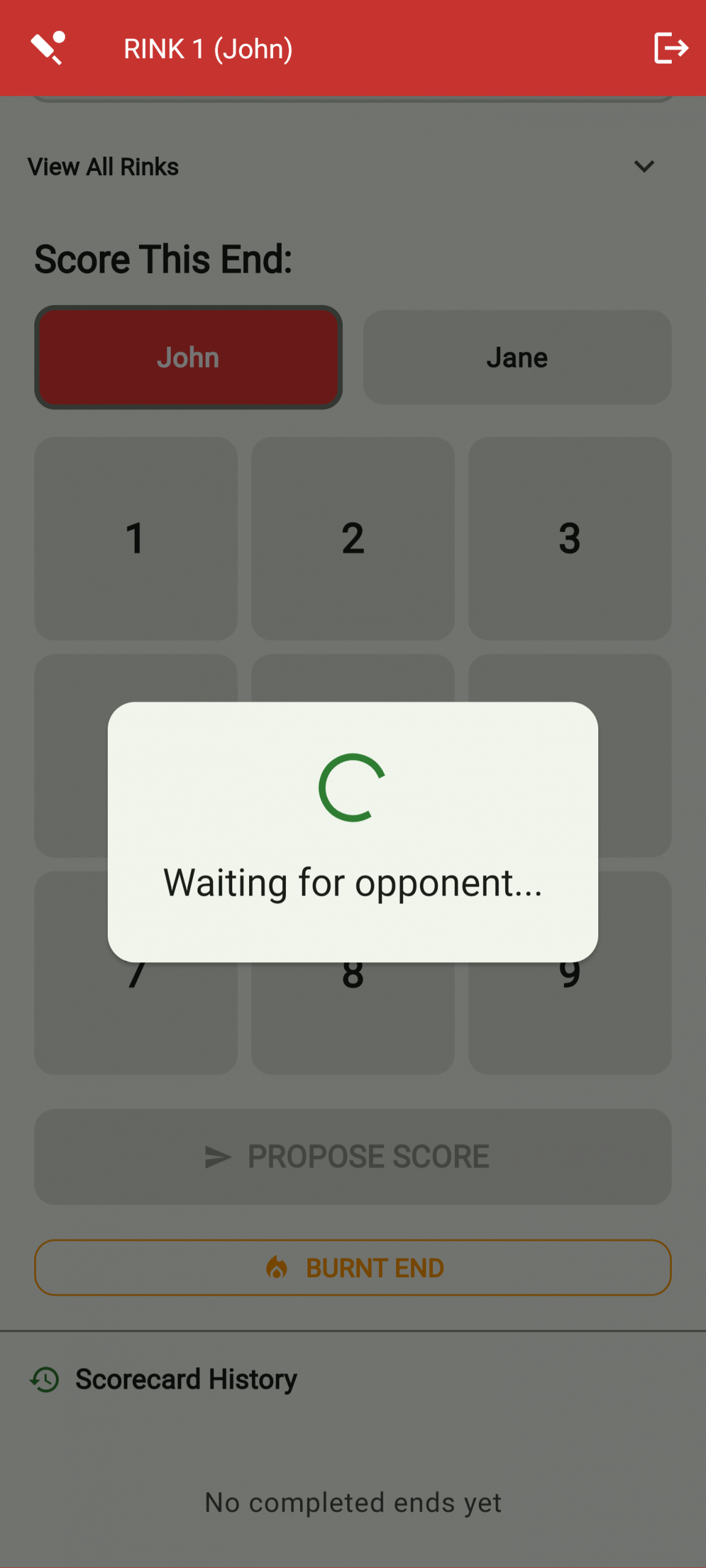
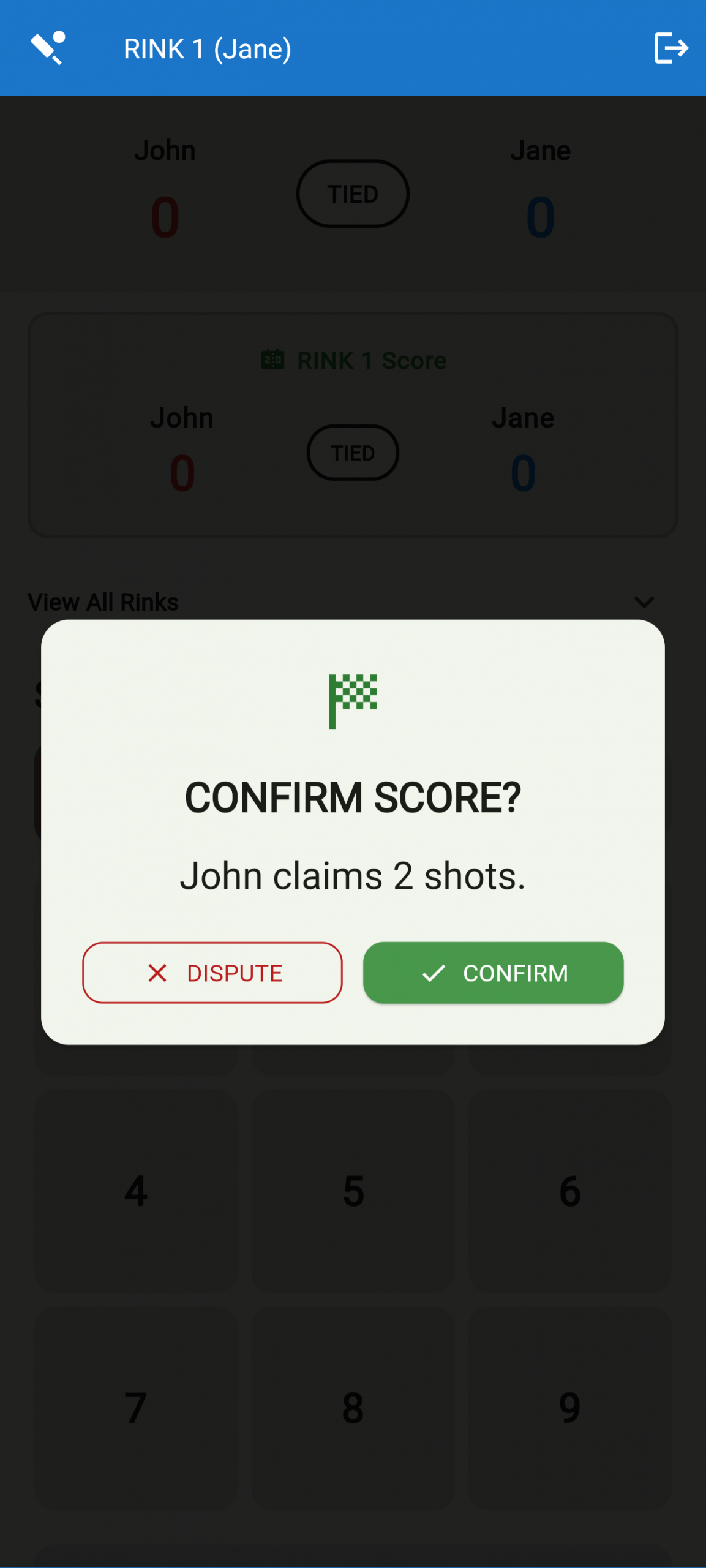
After each end, the home team selects the score for their rink and taps Propose. The away team’s device shows the proposal — they either confirm or dispute it. Once both sides agree, the score is locked in, the running total updates, and the screen resets for the next end. When all ends are complete the match is automatically closed and the final result is saved. In ‘Marker Mode’ no confirmation is required. The score is instantly recorded.
The club live board shows every active game at once — perfect for a TV in the clubhouse, or for players and supporters following along on their phones. There’s no PIN or login required; just open the link.
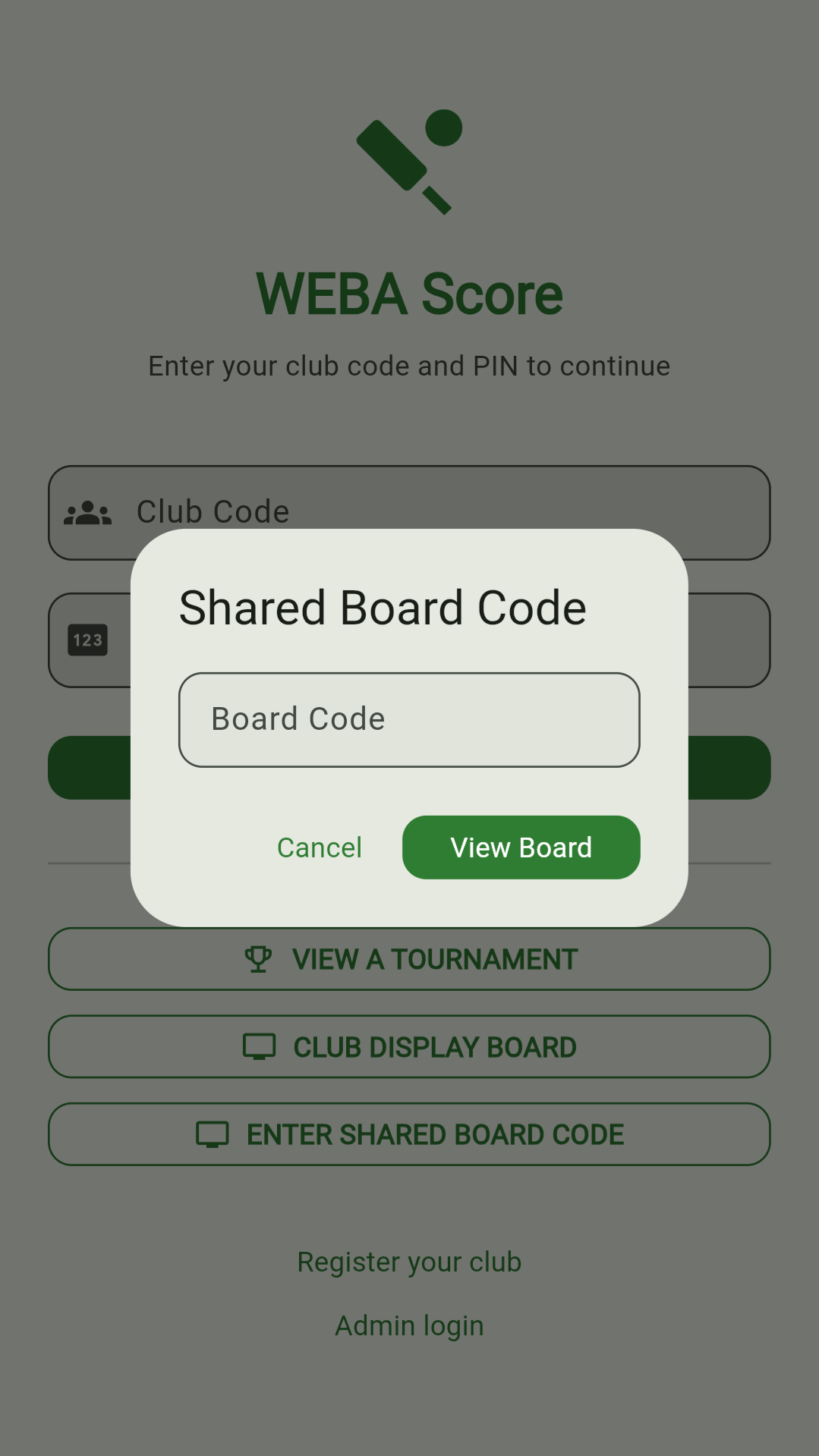
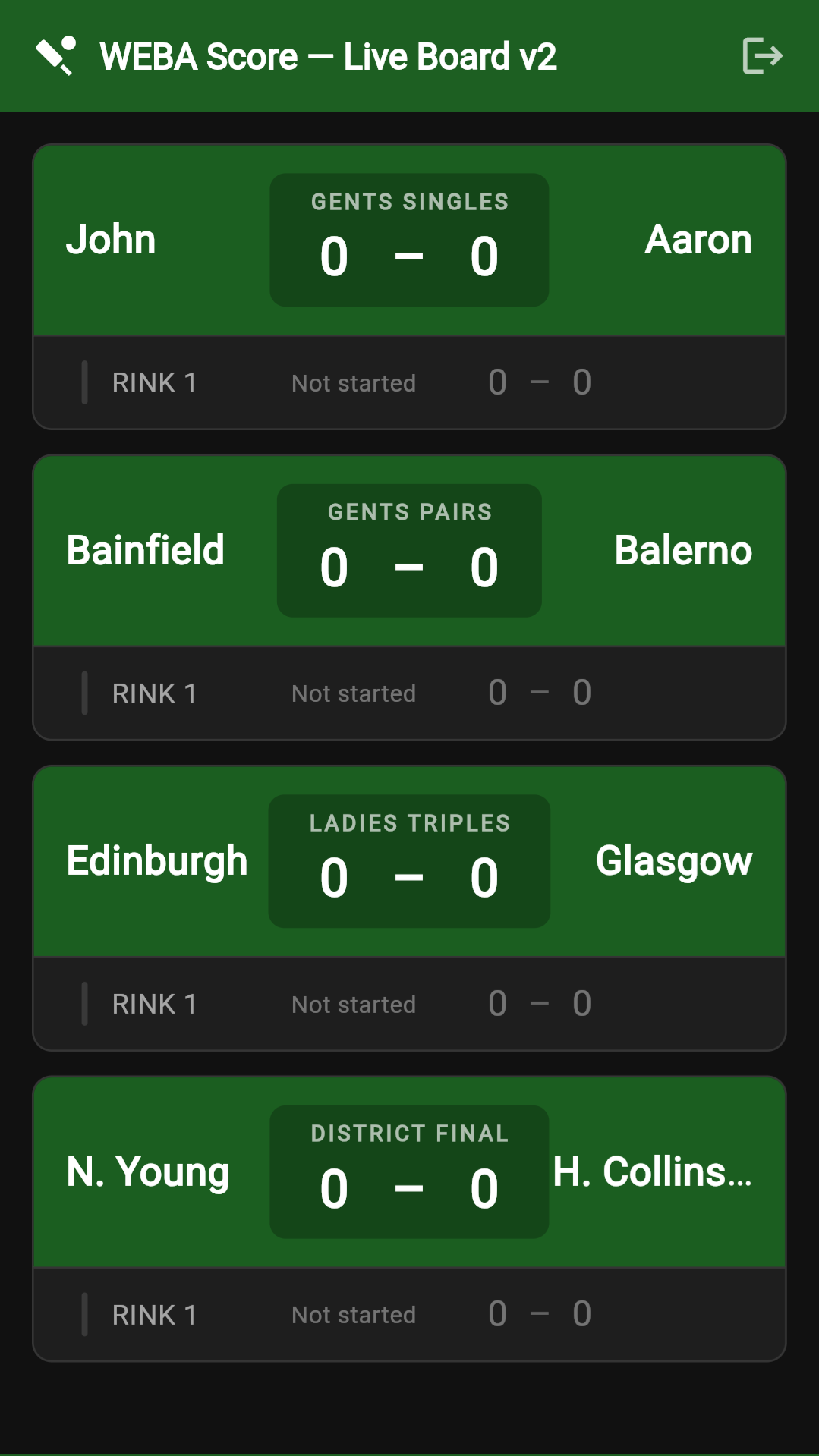
Log in as admin and tap Display Boards on the dashboard. Create a board, give it a name (e.g. Main Hall TV), then tap the share icon to copy its unique link. Send that link to anyone — supporters, visiting clubs, or put it on a TV browser — and they’ll see all your club’s active games updating live. The admin can add or remove matches from the board at any time and every viewer sees the change instantly. No account, no PIN, no app required.
Join hundreds of clubs across the UK using WEBA Scoring to run faster, more professional matches.